Otter AI Accuracy for Students: Real Lecture Test and Performance Results
If you’re a student, you already know the struggle—trying to listen, understand, and take notes at the same time. That’s exactly why tools like Otter.ai are becoming popular in classrooms.
But here’s the real question: how accurate is Otter AI for lectures, and can you actually rely on it for studying?
In this article, we’ll break down real lecture test results, student experiences, and practical insights so you know exactly what to expect. If you’re new to this topic, check Otter AI Transcription Accuracy Test: How Reliable Is It in 2026? and How to Improve Otter AI Transcription Accuracy (Pro Tips That Work).
Table of Contents
How Accurate Is Otter AI for Lecture Recordings?
In academic settings, Otter AI performs surprisingly well—but not perfectly.
Real-world data shows that Otter AI typically achieves around 92–94% accuracy in lectures, especially when the audio is clear and the lecturer speaks at a steady pace.
However, this number can vary depending on several factors. In less ideal conditions—such as noisy lecture halls, strong accents, or technical jargon—accuracy can drop closer to 85–90% or lower.
What this means for students:
- You’ll capture most of the lecture content
- But you’ll still need to review and clean up errors
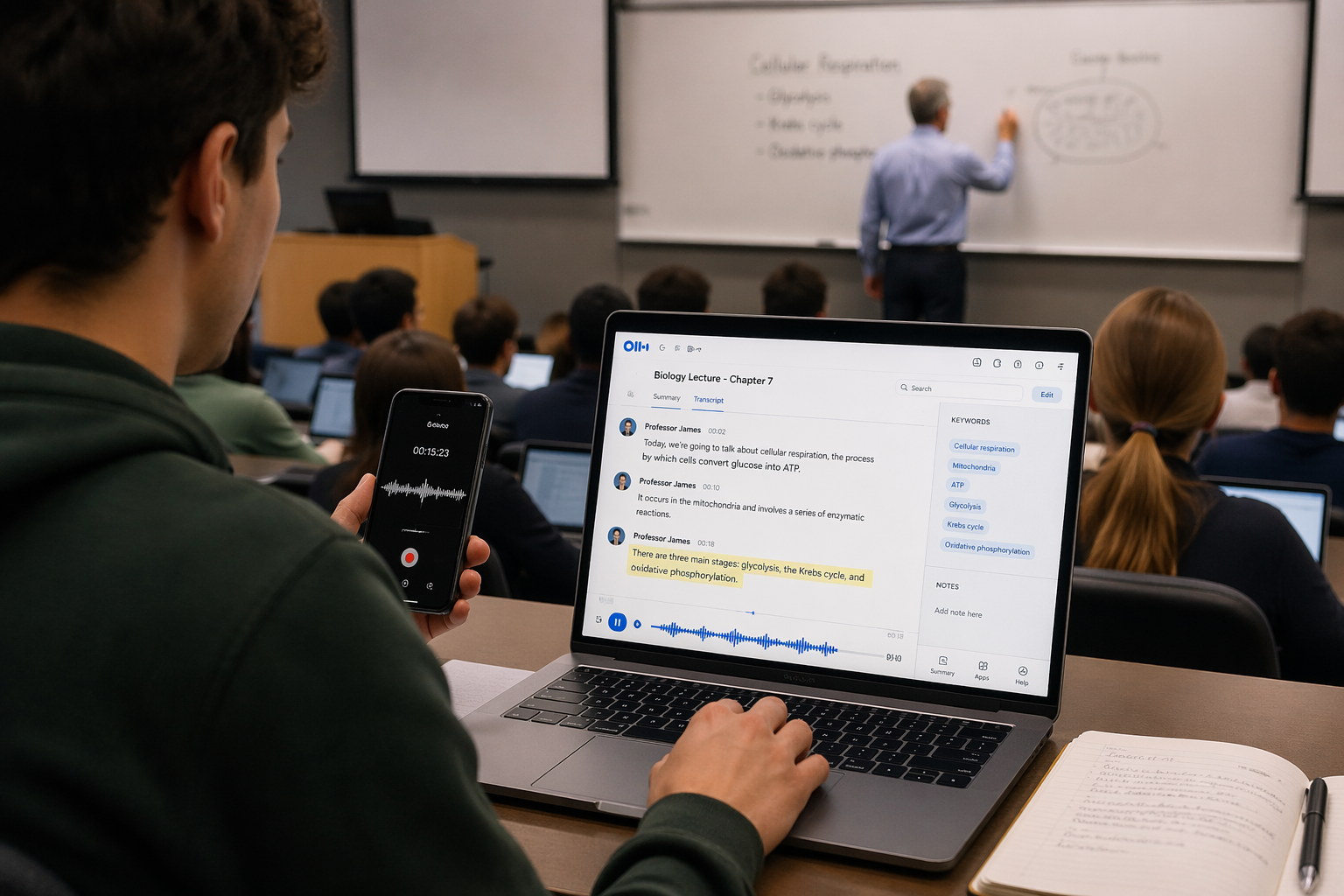
Lecture Recording Test: What Happens in a Real Class?
Let’s move beyond theory and look at how Otter AI performs in an actual lecture scenario.
In a 50-minute university lecture, where roughly 7,000–8,000 words are spoken, Otter AI at 90% accuracy means about 700–800 words could be incorrect or missing.
That sounds like a lot—until you compare it to manual note-taking.
Studies show that students typically capture only 20–30% of lecture content when writing notes manually.
So even with errors, Otter AI still gives you far more content than traditional note-taking.
From experience, this is exactly how it feels. You don’t rely on Otter for perfection—you rely on it to capture everything, then refine later.
How Does Otter AI Handle Different Lecture Scenarios?
Not all lectures are the same, and Otter AI’s accuracy changes depending on the situation.
In structured lectures where the professor speaks clearly and follows a steady pace, Otter AI performs very well. These are the best-case scenarios, often reaching above 90% accuracy.
In interactive lectures—where students ask questions or interrupt—the system can struggle slightly. It may mix speakers or miss parts of the conversation.
In technical subjects like medicine, engineering, or computer science, accuracy can drop further. Complex terminology and unfamiliar words are more likely to be misinterpreted unless you use custom vocabulary.
Large lecture halls introduce another challenge. Background noise, echo, and distance from the speaker can reduce audio quality, which directly affects transcription accuracy.
Real Student Experiences Using Otter AI
Student feedback on Otter AI is generally positive—but realistic.
Some students find it incredibly helpful for capturing full lectures without stress. It allows them to focus on understanding instead of trying to write everything down.
From Reddit:
“It helps me keep everything organized… without stressing about taking notes.”
However, not all experiences are perfect.
“Sometimes it… transcribe[s] total gibberish.”
This reflects a common theme: Otter AI is useful, but not flawless.
From personal experience, the biggest advantage is peace of mind. You don’t panic about missing information—you know it’s being recorded. But you still need to review important sections before exams.
What Does Otter AI Get Wrong in Lectures?
Understanding its limitations helps you use it better.
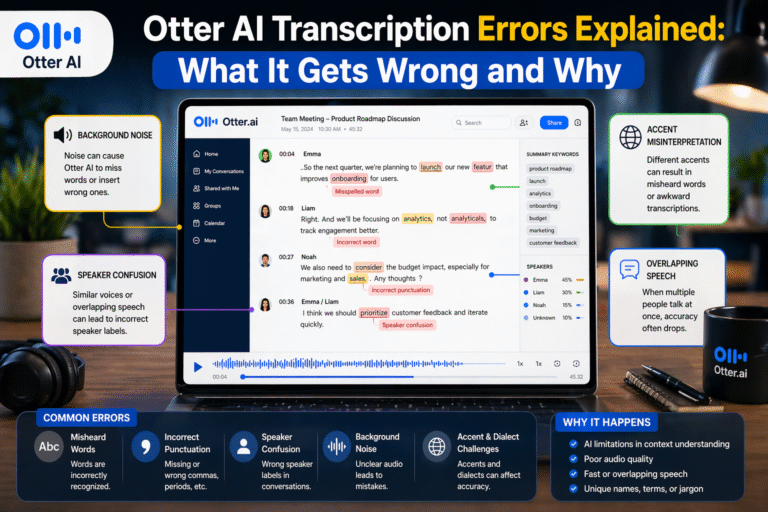
One common issue is technical terminology. Words that aren’t commonly used in everyday speech are often misinterpreted.
Another issue is accents and pronunciation. If your lecturer has a strong accent or speaks quickly, accuracy can drop—just like we discussed in Does Otter AI Work for Accents? Accuracy Test with Real Examples.
Background noise is another factor. Even small sounds—like students talking, chairs moving, or air conditioning—can interfere with transcription.
Finally, Otter AI may struggle with speaker identification during interactive sessions, especially when students ask questions.
Is Otter AI Better Than Taking Notes Manually?
In most cases, yes—but it depends on how you use it.
Manual note-taking forces you to process information actively, which can improve understanding. However, it also means you miss a lot of content.
Otter AI flips that dynamic. It captures nearly everything, allowing you to focus on listening and understanding during the lecture.
The best approach is to combine both:
- Use Otter AI to record everything
- Take light notes during the lecture
- Review and refine after class
This hybrid method gives you both completeness and understanding.
Tips to Improve Otter AI Accuracy for Lectures
If you want better results as a student, a few simple adjustments can help.
Try to sit closer to the lecturer so your recording device captures clearer audio. This alone can significantly improve transcription quality.
Use a good microphone or recording device if possible. Built-in laptop microphones may struggle in large lecture halls.
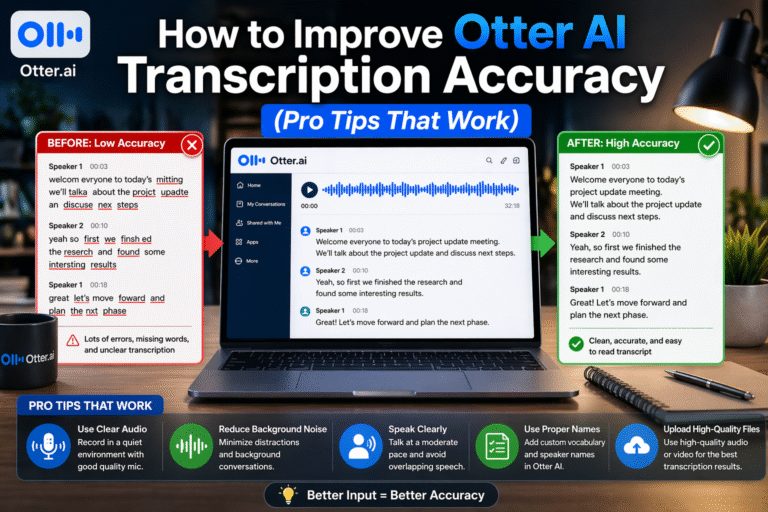
Adding custom vocabulary for course-specific terms can reduce repeated errors, especially in technical subjects.
After each lecture, spend a few minutes reviewing the transcript and correcting key sections. This makes your notes much more reliable for revision.
Can Students Rely on Otter AI for Studying?
Yes—but not blindly.
Otter AI is excellent for capturing lecture content, organizing notes, and saving time. It’s especially useful during revision, where you can search transcripts and revisit specific topics quickly.
However, it should not replace understanding. You still need to engage with the material, review transcripts, and clarify any errors.
Think of Otter AI as a study assistant, not a substitute for learning.
Final Thoughts: Is Otter AI Good for Students?
Otter AI is one of the most useful tools students can use today—but only if used correctly.
It performs well in lecture environments, often achieving over 90% accuracy, and captures far more content than manual note-taking. However, it still requires review and correction, especially for technical subjects and challenging audio conditions.
Bottom line:
Otter AI won’t give you perfect notes—but it will give you better, fuller, and more searchable notes than you’d get on your own.
FAQs: Otter AI for Students and Lectures
How accurate is Otter AI for lectures?
Typically around 85–94%, depending on audio quality, accents, and subject complexity.
Can Otter AI replace note-taking for students?
Not completely. It works best when combined with light note-taking and review.
Does Otter AI work in large lecture halls?
Yes, but accuracy may drop due to background noise and distance from the speaker.
Is Otter AI good for technical subjects?
It works, but may struggle with specialized terms unless you add custom vocabulary.
Is Otter AI worth it for students?
Yes, especially if you want to capture more content, stay focused during lectures, and improve your study workflow.