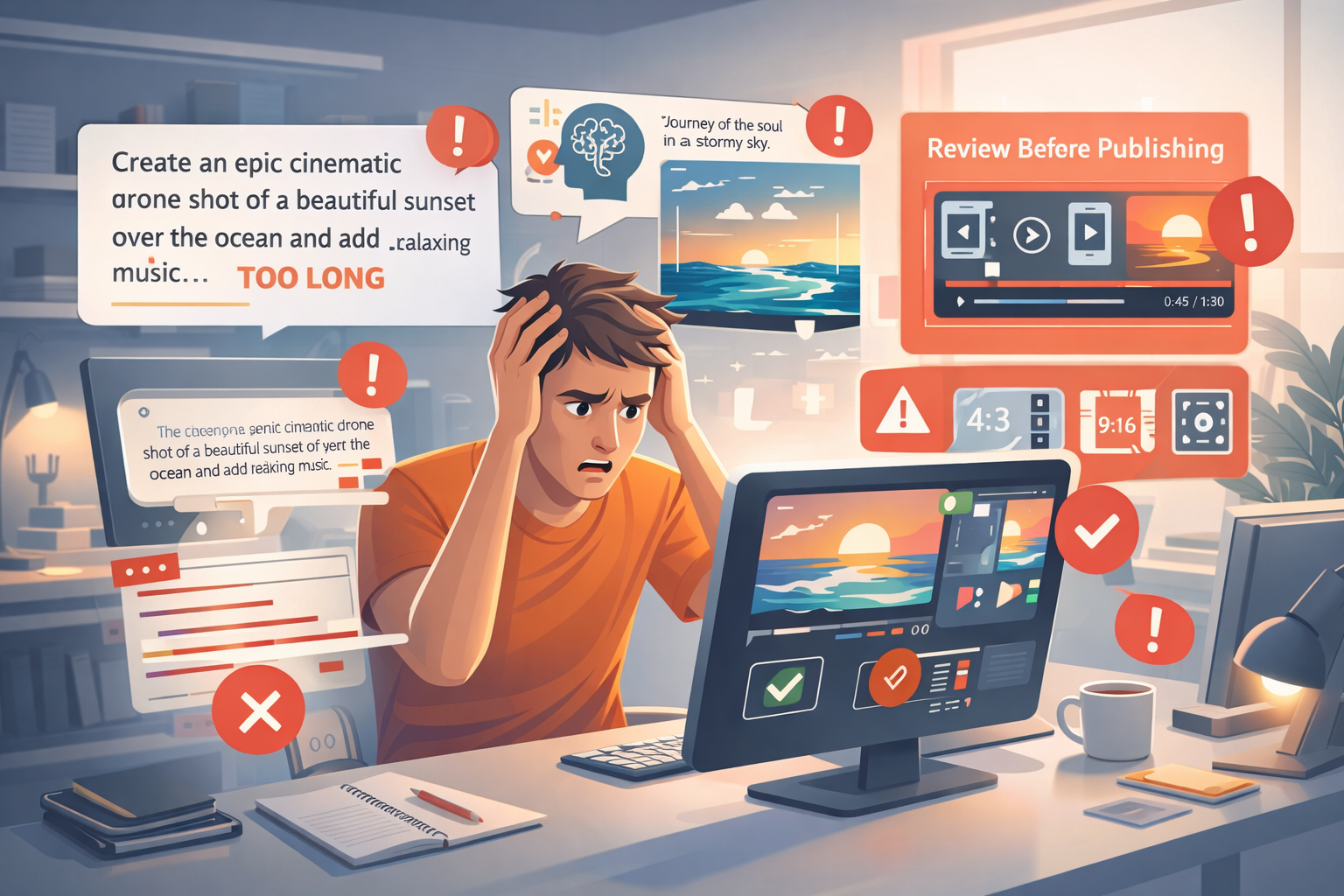
If you’re new to AI video tools, it’s easy to feel like everyone else is getting perfect results while you struggle. The truth? Mistakes happen to everyone—even experienced creators. The key is knowing what common AI video mistakes look like and how to fix them before they become frustrating roadblocks. Once you understand the usual pitfalls, you’ll save time, produce higher-quality videos, and feel way more confident with your creations.
In this guide, we’ll cover the top mistakes beginners make, why they happen, and practical ways to avoid them. Think of it as a roadmap to smoother, smarter AI video creation.
Table of Contents
Expecting Human-Level Creativity
One of the most common AI video mistakes is expecting the tool to think and imagine exactly like a human. AI is extremely good at predicting patterns, visuals, and even pacing, but it’s not truly creative.
What This Looks Like in Practice
You might type a poetic or abstract prompt like:
“The journey of the soul in a stormy sky”
And the result could be literal, awkward, or just plain confusing—AI can’t always translate abstract ideas into the exact visuals you see in your mind.
How to Fix It
- Use concrete imagery: Replace abstract concepts with physical objects, actions, or recognizable scenes.
- Break down ideas into scenes: Instead of one sweeping poetic line, create a step-by-step visual storyboard.
- Iterate and refine: Generate multiple versions and adjust the wording based on what the AI understands best.
Remember, AI is a collaborator, not a mind reader. Adjusting your expectations is the first step toward better videos.
Overloading Prompts
Another frequent beginner trap is thinking that more words = better output. Some beginners type paragraph-long prompts, cramming in every tiny detail, and the result is often messy or off-target.
Why This Happens
AI processes your prompt as a collection of instructions. When there are too many conflicting or complex directions, it struggles to decide what’s most important. This leads to cluttered scenes, mismatched visuals, or inconsistent style.
How to Fix It
- Keep prompts short and focused: One or two sentences with the essential visuals, style, and mood are usually enough.
- Prioritize key elements: Decide what’s most important to appear in the video and leave secondary details out.
- Separate scenes clearly: If your story has multiple parts, break it into multiple prompts for each scene.
Less really is more. Clear, concise prompts make it much easier for AI to generate coherent, appealing videos.
Ignoring Platform Requirements
Beginners often forget that each AI video platform has rules and limitations, which leads to another common AI video mistake. This includes things like aspect ratios, frame timing, video length, and resolution. Ignoring these can make your final video unusable or force you to redo it entirely.
Examples
- Uploading a video for TikTok but forgetting to select vertical aspect ratio
- Using long scenes for a platform that prefers short clips (YouTube Shorts or Instagram Reels)
- Selecting an unsupported resolution, resulting in pixelated or blurry videos
How to Fix It
- Check platform specs first: Always know the recommended resolution, aspect ratio, and max length.
- Use built-in templates: Many AI tools offer templates optimized for social media, marketing, or educational content.
- Adjust pacing and timing: Even AI-generated videos may need small edits for scene duration and transitions.
Planning around platform requirements ensures your video looks professional without extra stress.
Not Reviewing Before Publishing
Even if your AI video looks good at first glance, not reviewing it carefully is one of the most common mistakes beginners make. Skipping this step can lead to quality issues, mismatched audio, or mistakes in captions.
Why Review Matters
AI can generate visuals, music, and text automatically, but it can also:
- Misinterpret a prompt, creating odd visuals
- Place text in hard-to-read positions
- Generate scenes that don’t flow logically
- Have minor timing issues or awkward transitions
How to Fix It
- Watch the video all the way through: Catch pacing or visual errors before publishing.
- Check captions and audio: Make sure text is legible and synced, and background music matches the tone.
- Make small edits as needed: Trim scenes, adjust timing, or regenerate problematic clips.
A quick review step saves embarrassment and ensures your AI videos look polished.
Conclusion
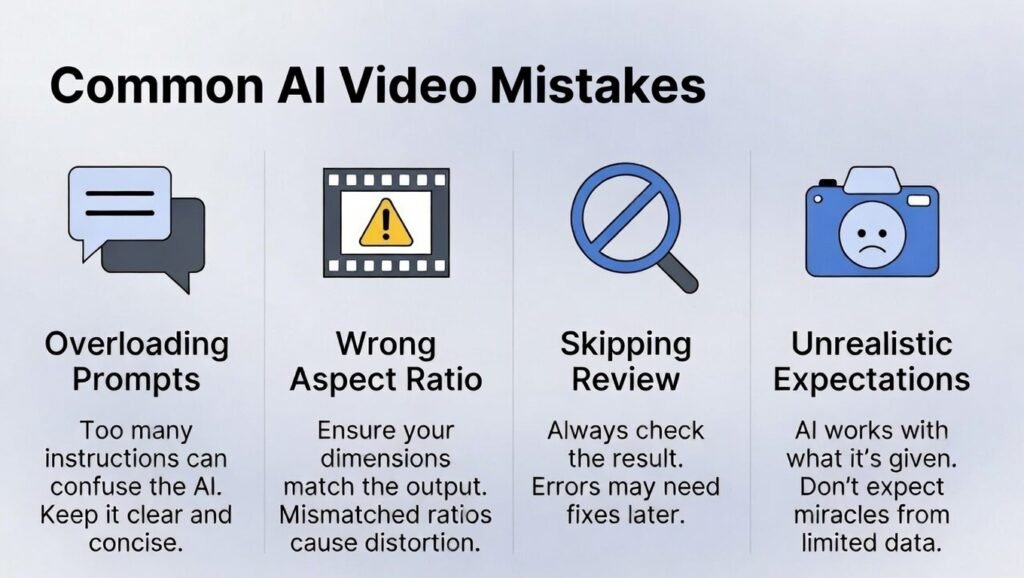
Making mistakes with AI video tools is normal—everyone does it at first. The trick is to recognize the common AI video mistakes like expecting human-level creativity, overloading prompts, ignoring platform requirements, and skipping review. By adjusting your expectations, simplifying prompts, respecting platform rules, and taking the time to review, you’ll create better videos faster and with less frustration.
Remember: AI is a powerful assistant, but you are the director. With the right approach, mistakes become learning opportunities that improve every video you make.
FAQs
What are the most common AI video mistakes?
The top mistakes are expecting AI to be as creative as a human, using overly long prompts, ignoring platform specs, and not reviewing the video before publishing.
How can I make my AI video look more professional?
Use clear, concise prompts, follow platform requirements, break your story into scenes, and review before publishing.
Is it normal for AI videos to misinterpret prompts?
Yes. AI works by predicting visuals based on your words, so abstract or unclear prompts can result in unexpected outputs.
Can beginner mistakes ruin my AI video completely?
Usually, no. Most mistakes are fixable with prompt adjustments, reviewing, and small edits.
How do I avoid overloading prompts?
Focus on the key visual elements, actions, and mood. Use one or two concise sentences per scene instead of cramming everything into one long prompt.