How to Self-Publish a Book on Amazon KDP
If you’ve ever thought about publishing your own book, there’s never been a better time to start. I’ve been in the self-publishing game for years, and I can tell you this: Amazon KDP (Kindle Direct Publishing) has made it ridiculously easy for beginners to go from idea to published author in a matter of days.
But here’s the truth most people won’t tell you — publishing a book is easy, but publishing a book that actually sells is where the real work is.
In this guide, I’ll walk you through exactly how to self-publish a book on Amazon KDP in 2026, step by step, based on real experience.
Table of Contents
What Is Amazon KDP and How Does It Work?
Amazon KDP is a free platform that allows you to publish eBooks, paperbacks, and even hardcovers directly on Amazon.
Here’s why it’s powerful:
- You keep up to 70% royalties
- No upfront publishing costs
- Your book is available worldwide
- You can publish in less than 24 hours
If you’re serious about doing this the right way, I recommend using this tool — it helps with keyword research, niche validation, and competitor analysis (which is where most beginners fail).
How to Self-Publish a Book on Amazon KDP (Step-by-Step)
Without wasting much of your time, let me take you on a stepwise process to get started publishing your first book on Amazon KDP:
Step 1: Choose a Profitable Book Niche for KDP
This is where most people get it wrong.
Don’t just write a book because you “feel like it.” Write a book people are already searching for.
From experience, these niches perform well:
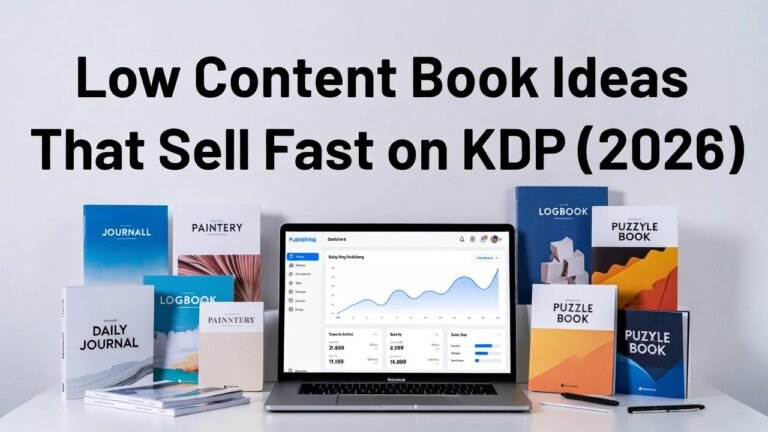
- Low content books (journals, planners)
- Self-help and productivity
- Children’s books
- Puzzle and activity books
Before you commit, validate your idea:
- Search your topic on Amazon
- Check if books are ranking well
- Look at reviews and demand
For a full breakdown of tools and strategies I personally use, check this SelfPublishingTitans Review Article.
Step 2: Do Proper KDP Keyword Research
If your book isn’t optimized for keywords, it won’t be found. Simple.
Here’s how I approach keyword research:
- Use long-tail keywords (e.g., “gratitude journal for women”)
- Focus on low competition, high demand terms
- Analyze what top-ranking books are targeting
Your keywords should go into:
- Book title
- Subtitle
- Description
- Backend keywords (KDP dashboard)
This step alone can make or break your book’s visibility.
Step 3: Create High-Quality Book Content
Now let’s talk about the actual book.
Depending on your type:
- Low content books → simple interiors (lined pages, prompts)
- Non-fiction books → valuable, actionable content
- Children’s books → engaging and visually appealing
One mistake I made early on was rushing content. Don’t do that.
Even simple books need:
- Clean formatting
- Clear structure
- A purpose for the reader
Remember, good reviews = long-term sales.
Step 4: Design a Professional KDP Book Cover
People absolutely judge books by their covers.
I’ve tested this multiple times — changing just the cover can double your sales.
Here’s what works:
- Bold, readable fonts
- Clear niche targeting
- Simple but eye-catching design
You don’t need to be a designer. Use tools such as SelfPublishingTitans or templates that simplify the process. Another easy way I use for creating my professional KDP book cover is using AI. You can read a detailed guide of how I achieve this using Artistly AI.
Step 5: Format Your Book for Amazon KDP
Formatting is straightforward, but don’t ignore it.
For eBooks:
- Use proper headings
- Keep spacing consistent
For paperbacks:
- Set correct margins and bleed
- Ensure page count fits your category
Amazon provides templates, but always preview your book before publishing.
Step 6: Upload Your Book to Amazon KDP
Once everything is ready:
- Go to KDP dashboard
- Enter your book details
- Upload manuscript and cover
- Set pricing and royalties
Publishing usually takes 24–72 hours.
Pro tip: Price your book competitively when starting to gain traction.
Step 7: Optimize Your Book Listing for KDP SEO
This is where most beginners leave money on the table.
Your listing should include:
- Keyword-rich title and subtitle
- Persuasive book description
- Strong bullet points (benefits, not just features)
Think of your book page like a sales page.
Step 8: Promote Your Book for More Sales
Publishing is just the beginning.
Here’s what has worked for me:
- Running Amazon ads (start small)
- Getting early reviews from readers
- Sharing on social media or niche communities
Consistency is key. One book won’t make you rich — but multiple optimized books can.
Final Thoughts: Is Amazon KDP Worth It in 2026?
Absolutely.
But only if you treat it like a business, not a hobby.
From my experience, the people who succeed:
- Do proper keyword research
- Focus on profitable niches
- Publish consistently
If you follow this guide, you’ll already be ahead of 80% of beginners.
And if you want to speed up your results, don’t skip the tools and strategies in this review on SelfPublishingTitans.
FAQs About Self-Publishing on Amazon KDP
1. How much does it cost to publish on Amazon KDP?
It’s completely free. You only invest in tools or design if you choose to.
2. How long does it take to publish a book on KDP?
You can publish in a day, but proper research and setup may take a few days.
3. Can beginners really make money on KDP?
Yes, but success depends on niche selection, keywords, and consistency.
4. What type of books sell best on KDP?
Low content books, self-help, and children’s books are among the top performers.