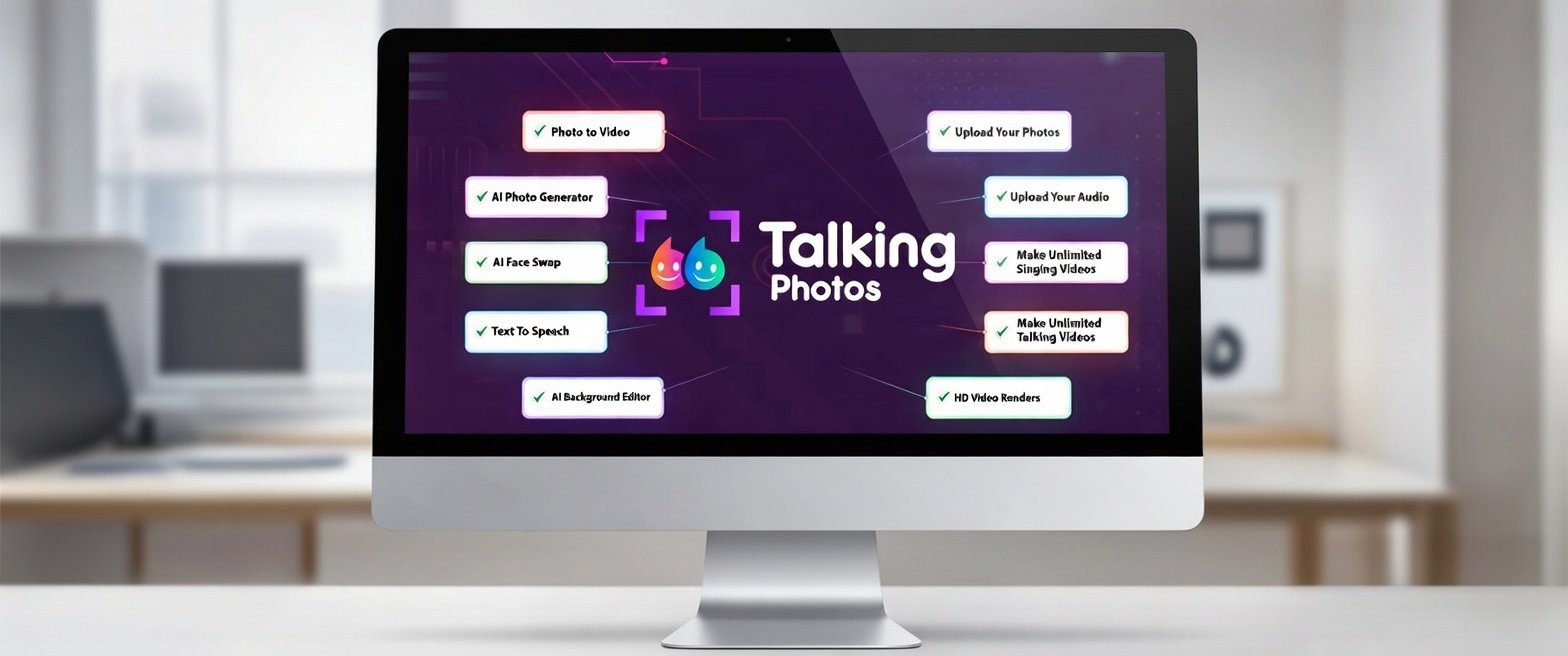

TalkingPhotos AI lets you animate photos with realistic lip-sync and expressions. One-time $49 payment, no monthly fees, perfect for creators and educators.
Imagine taking a simple photo and turning it into a talking avatar that can speak, smile, and even move its head. That’s exactly what TalkingPhotos AI does. This AI-powered tool has become popular among creators, marketers, educators, and anyone who wants to bring static images to life. With its realistic lip-syncing, facial expression adjustments, and easy-to-use interface, Talking Photos AI makes animated talking photos accessible to everyone.
Whether it’s for social media content, marketing campaigns, greetings, or online learning, this tool opens up creative possibilities that were once only possible with professional software. By the end of this article, readers will understand how TalkingPhotos AI works, its main features, pricing plans, alternatives, and whether it’s worth using.
Disclaimer: This post contains affiliate links. This means that if you click on a link and make a purchase, we may earn a small commission at no extra cost to you. All opinions are our own, and we only recommend products we believe provide value to our readers.
Table of Contents
What Is Talking Photos AI?
Talking Photos AI is an AI photo animation software that transforms static images into animated, talking visuals. It analyzes facial features to create natural movements, including synchronized lip movements and subtle expressions. The result is a lifelike talking photo that can be used in videos, social media posts, educational content, and more.
This tool is especially valuable for:
- Content creators: Make videos more engaging with animated intros
- Marketers: Bring brand mascots or product images to life
- Educators: Animate historical figures or lessons to capture student attention
- Individuals: Send fun personalized greetings to friends and family
It works with most clear face photos and can handle both selfies and portraits, making it beginner-friendly.
How TalkingPhotos AI Works
Using Talking Photos AI is simple. Here’s a step-by-step guide to animating photos:
1. Upload Your Photo
Start by selecting a photo. The AI performs best with:
- Clear, frontal faces
- High-resolution images
- Minimal background distractions
Once the photo is uploaded, the AI automatically detects facial features to prepare for animation.
2. Add Audio or Text
Users can either:
- Record their own voice
- Upload an audio file
- Type text for the AI to convert into speech
The AI then analyzes the audio and matches it to the mouth movements in the photo.
3. Customize Facial Expressions
TalkingPhotos AI allows users to adjust:
- Eye movement
- Head tilt and rotation
- Smile or other facial expressions
This ensures animations look realistic and expressive. For example, a teacher could animate a historical figure smiling while giving a short speech in a lesson video.
4. Generate the Talking Photo
After setup, the AI generates the final animation. Outputs can be downloaded as videos or GIFs for easy sharing on:
- Social media platforms like Instagram, TikTok, or Facebook
- Messaging apps like WhatsApp or Telegram
- Personal or business websites
Turn your photo into a talking avatar now — get started with TalkingPhotos AI.”
Features of Talking Photos AI
Talking Photos AI stands out because of its rich set of features, making it a versatile AI talking photo generator.
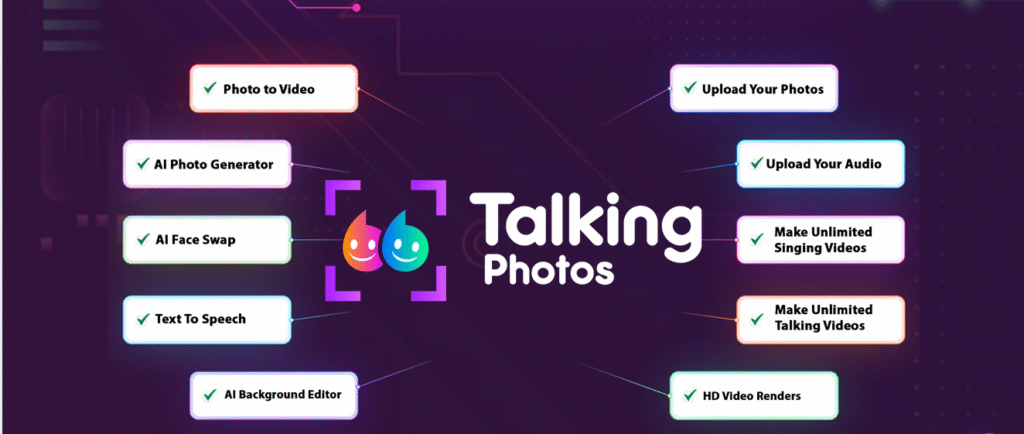
Realistic Lip Sync
The AI ensures that mouth movements match the audio perfectly. This makes the talking photo appear lifelike, which is ideal for:
- Marketing content that requires engagement
- Educational videos where clear speech is essential
Multiple Voice Options
Users can choose from a variety of AI-generated voices or use their own recordings. This flexibility allows for customization depending on the purpose:
- A fun voice for social media posts
- A professional tone for business presentations
- Historical accents for educational content
Expression Controls
Adjusting facial expressions gives animations more depth. Subtle changes like a raised eyebrow or a smile can make the avatar feel more natural and human.
Quick Generation
Talking Photos AI uses AI-powered speed to generate talking photos in seconds. This makes it perfect for creating large batches of content quickly.
Easy Export & Sharing
The tool allows exporting animations as MP4 or GIF files, which can be directly uploaded to social media, embedded in websites, or used in presentations.
Compatibility & Device Flexibility
Talking Photos AI is web-based and works on most modern browsers, eliminating the need for complex software installations.
Who Can Benefit From Talking Photos AI?
Talking Photos AI is suitable for a wide range of users:
- Content Creators & YouTubers: Create engaging intros, storytelling videos, or interactive avatars to boost viewer engagement. For example, animating a character from a short story can make YouTube shorts more appealing.
- Marketers & Brands: Animate mascots or product photos to create memorable campaigns. Animated talking photos stand out more than static images on social media feeds.
- Educators & Trainers: Bring lessons to life with animated historical figures, scientists, or literary characters. This approach keeps learners engaged and enhances memory retention.
- Individuals: Send fun greetings or video messages to friends and family, making celebrations more memorable.
Pricing of TalkingPhotos AI
Talking Photos AI is available for a one-time payment of $49, down from the regular price of $99. This means there are no monthly fees, giving users instant access to all features without recurring subscriptions. The plan includes:
- Unlimited access to animate photos
- High-quality video exports without watermarks
- Full set of AI voices and expression controls
- 30-day money-back guarantee
This makes it ideal for creators, marketers, and educators who want to use the tool long-term without worrying about ongoing costs.
Talking Photos AI Pros and Cons
Pros
- One-time payment: Pay $49 and get lifetime access—no monthly fees
- Beginner-friendly interface, easy for anyone to use
- Realistic lip-sync and facial animation for photos
- Customizable expressions and multiple AI voice options
- Fast generation, perfect for quick content creation
- Export animations as videos or GIFs for social media
Cons
- Best results require clear, frontal photos
- Some advanced features may need the full plan (covered by the one-time payment)
- Multi-person photo animations are limited
- Output resolution may vary depending on photo quality
Talking Photos AI vs Alternatives
When choosing an AI talking photos generator, it’s important to know the alternatives:
| Tool | Best For | Strengths | Weaknesses |
|---|---|---|---|
| TalkingPhotos AI | Beginners & marketers | Fast, realistic lip-sync, customizable expressions | Limited free features |
| D-ID | Professional deepfake users | High-end AI animation, precise facial movements | Higher learning curve |
| MyHeritage Deep Nostalgia | Historical photo animation | Perfect for family or historical photos | Limited modern voice options |
| Wombo AI | Casual fun videos | Quick, fun social media clips | Less control over expressions |
This comparison helps decide which AI tool suits individual needs and budget.
Common Use Cases
Social Media Content
Animate profile photos or storytelling posts to increase engagement and followers. For example, a travel blogger can animate photos from destinations and narrate their experiences.
Marketing & Advertising
Bring products, mascots, or logos to life with talking animations to capture attention in crowded social feeds.
Personalized Video Messages
Send talking photos as greetings, holiday messages, or birthday wishes. A static photo suddenly speaking creates a unique, memorable experience.
Education & eLearning
Teachers can animate historical figures, authors, or scientists to make lessons interactive and engaging, helping students understand complex topics better.
Fun & Entertainment
Use for memes, jokes, or storytelling videos that can be shared on TikTok, Instagram, or Facebook.
Is Talking Photos AI Worth It?
For anyone looking to animate photos with AI, Talking Photos AI offers speed, realism, and ease of use. Its combination of:
- Fast generation
- Realistic lip-sync
- Customizable expressions
- Multiple voice options
This makes Talking Photos AI perfect for content creators, marketers, educators, and anyone who wants to bring photos to life. From professional projects to fun personal messages, it makes creating talking photos fast, easy, and impressive.
Conclusion
Talking Photos AI is a beginner-friendly, versatile AI tool that turns static photos into talking animations in seconds. From marketing campaigns to social media content, personal messages, and education, it provides endless possibilities for creativity.
By exploring its features, testing its free trial, and comparing alternatives, users can decide whether this AI talking photos generator fits their needs. With its fast, realistic, and easy-to-use interface, Talking Photos AI makes creating animated talking photos simple, fun, and highly engaging.
So, what are you waiting for? Animate your photo today and bring it to life with Talking Photos AI.
You Might Also Like:
- Ultimate Artistly AI Review 2026 – Explore this AI art tool, its features, pricing, and see if it’s worth your money.
- Video Express AI Review (2026) – Discover how this video creation AI works, its use cases, pricing, and best alternatives.
FAQs About Talking Photos AI
Q1: How much does Talking Photos AI cost?
Talking Photos AI is available for a one-time payment of $49 (regular price $99). There are no monthly fees, giving lifetime access to all features.
Q2: Can I get instant access after purchase?
Yes. After payment, users receive immediate access to the full set of features, including all AI voices, expression controls, and video export options.
Q3: Are there recurring fees?
No. This is a one-time payment plan—no subscriptions, no monthly fees.
Q4: Can I share animations on social media?
Absolutely. All animations can be exported as MP4 videos or GIFs, ready for posting.
Q5: Is there a money-back guarantee?
Yes. Talking Photos AI offers a 30-day money-back guarantee, so users can try it risk-free.
Q6: Can any photo be animated?
Photos with clear, frontal faces work best. Blurry or angled images may produce less realistic results.