
We’re living in the age of AI-powered everything, and design is no exception.
From typing a few words to generate stunning images to having AI suggest entire brand identities in seconds, the creative world has been transformed. Tools like Midjourney grabbed headlines, but there’s one platform quietly revolutionizing design for millions: Canva.
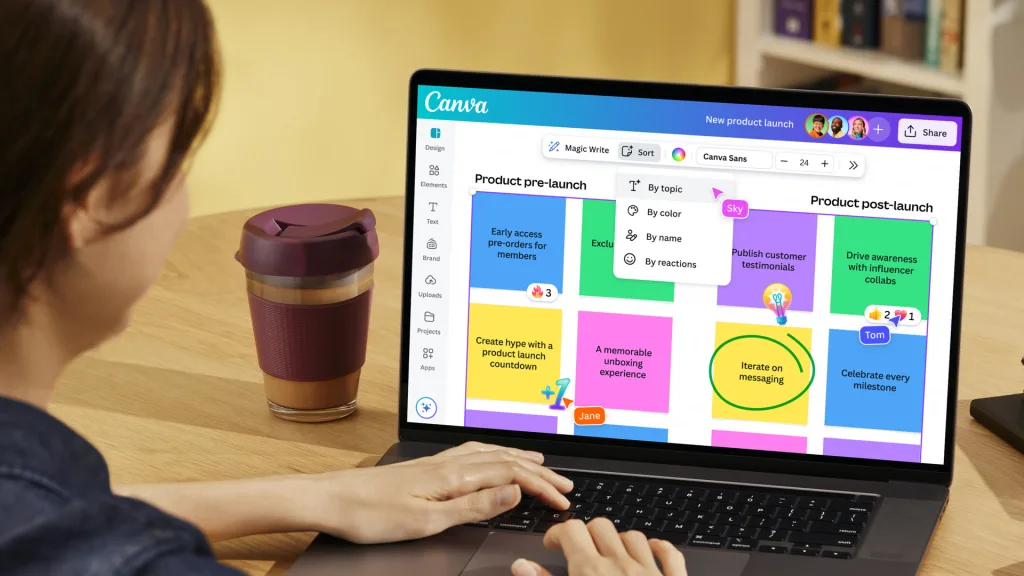
Here’s the thing: most people know Canva as that easy-to-use graphic design tool with thousands of templates. But what many don’t realize is that Canva has quietly become an AI design powerhouse. Magic Write, Magic Design, Text to Image, Background Remover are game-changers that can cut your design time in half.
Yet despite having over 150 million users, many Canva fans have never explored these AI features. Are they actually good, or just marketing hype?
That’s exactly what this review of Canva AI features aims to answer.
I’ve spent months testing every AI tool Canva offers. In this review, I’ll share real results, honest pros and cons, pricing insights, and whether these features are truly worth it in 2025.
Canva AI Review: Quick Summary
Ease of Use: ⭐⭐⭐⭐⭐
Features: ⭐⭐⭐⭐☆
Pricing: ⭐⭐⭐⭐☆
Output Quality: ⭐⭐⭐⭐☆
Overall Rating: 4.4 / 5
Canva AI combines simplicity and efficiency, making it ideal for beginners and busy professionals. Its tools like Magic Write and Magic Design work smoothly within Canva’s interface. The results are quick, creative, and accurate, though advanced users might want more control. Overall, Canva AI offers one of the best user-friendly design experiences in 2025.
Key Canva AI Features (Explained)
Magic Write (AI Text Generator)
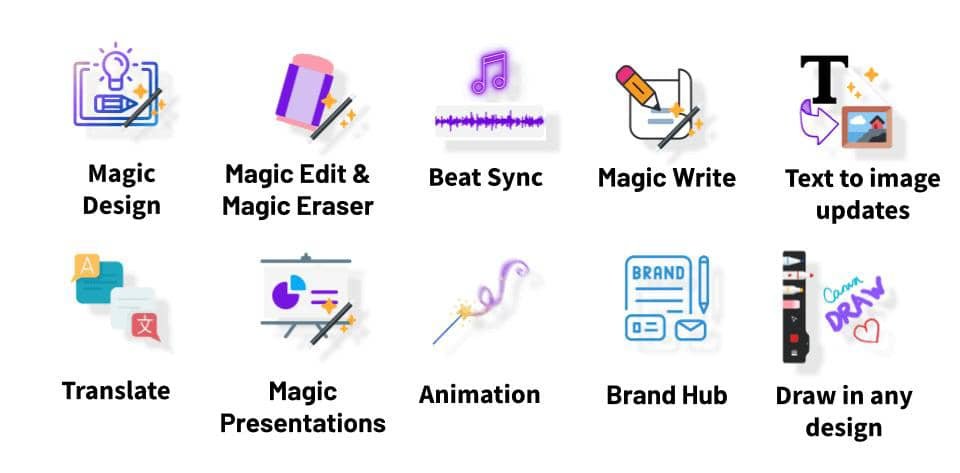
Magic Write is Canva’s built-in AI copywriting tool that generates text content directly within your designs. Simply type a prompt like “Write an Instagram caption for a coffee shop promotion,” and it produces ready-to-use copy in seconds. I found it particularly useful for social media captions, email subject lines, and blog introductions. The output is decent for quick drafts, though it tends to be generic and often needs editing for brand voice. It’s not as powerful as ChatGPT, but having it integrated directly into your design workspace saves time and eliminates the need to switch between apps.
Magic Design
Magic Design is where Canva’s AI really shines. Type a simple prompt like “Instagram post for yoga studio,” and within seconds, Canva generates multiple fully designed templates tailored to your request. The accuracy is impressive for common design types like social media posts, LinkedIn graphics, and flyers. The AI understands context well and suggests appropriate color schemes, layouts, and imagery. However, it struggles with highly specific or niche requests. This feature alone justifies the Pro subscription for busy entrepreneurs and content creators who need quick, professional results.
Magic Edit and Magic Eraser
These tools allow quick image manipulation. With Magic Edit, you can select part of an image and replace or enhance it with new elements using AI prompts. Magic Eraser removes unwanted objects from photos in seconds. Both tools are easy to use and accurate for simple edits, though complex background adjustments might need extra tweaks.
Magic Expand
Magic Expand helps enlarge cropped or incomplete images by intelligently filling in missing areas. It is useful when you need to resize or reposition photos without losing quality. The results are generally smooth and natural, but sometimes the AI guesses background details inaccurately in busy scenes.
Text to Image
Canva’s Text to Image feature generates custom images from text descriptions, competing with DALL-E and Midjourney. Type prompts like “watercolor illustration of a mountain sunset,” and Canva creates original images. The quality is decent but not exceptional. The AI handles artistic styles like watercolor and sketches reasonably well, but realistic photos often look artificial. The biggest advantage over Midjourney is simplicity and automatic commercial licensing. However, serious creatives will find the output less impressive than dedicated AI art generators. It’s best for quick placeholder images or decorative elements.
AI-Powered Presentation Maker
Canva’s AI presentation maker creates entire slide decks from a short description. You enter your topic, and the tool builds slides with titles, bullet points, and matching visuals. It saves time for students, marketers, and professionals who need to prepare fast. The slides may require minor edits for tone or structure, but overall, it is a big time-saver.
My Experience Testing Canva AI
When testing Canva’s AI tools, I wanted to see how they performed in real creative projects. For this review of Canva AI features, I used the platform to design a full Instagram carousel, a product flyer, and a short presentation for a mock brand.
The first thing I noticed was how fast everything worked. Prompts like “Create a minimalist travel poster” or “Write a short caption for skincare products” generated complete designs and text within seconds. The AI handled layout, color balance, and font selection efficiently. Magic Write produced readable copy that only needed small edits, while Magic Design saved me time by offering multiple style variations instantly.
In terms of output quality, Canva AI delivered polished results suitable for social media and marketing content. However, I found that longer or more complex prompts sometimes produced repetitive designs or slightly off-topic results. Adjusting the prompt wording usually fixed the issue, but it showed that Canva’s AI still benefits from clear, concise instructions.
Overall, my experience with Canva AI was positive. It helped me finish projects faster without sacrificing quality, and it felt like having a smart design assistant inside Canva.
Canva AI Pricing (Free vs Pro)
| Plan | Price | AI Features Included | Best For |
| Free | $0 | Limited AI credits | Beginners, students |
| Pro | $12.99/month | Full Magic Studio access | Creators, freelancers |
| Teams | Custom | Shared brand controls + AI tools | Businesses |
*Prices might differ depending on your location
Canva AI vs Alternatives
| Tool | Strength | Weakness |
| Canva AI | Balanced all-in-one design suite | Limited creativity for complex prompts |
| Adobe Firefly | Professional-grade AI image editing | More complex, higher cost |
| Jasper Art | Great text-to-image | Lacks full design suite |
| ChatGPT + Canva Plugin | Smart text & design combo | Requires integration setup |
Verdict: Is Canva AI Worth It in 2025?
After completing this review of Canva AI features, it is clear that Canva has done an excellent job combining creativity with simplicity. Its AI tools like Magic Write, Magic Design, and Magic Edit make content creation faster and more intuitive. The platform’s main strengths lie in its ease of use, speed, and affordability. It delivers professional-quality results even for users with little to no design background.
On the downside, Canva AI still has room to improve in terms of handling complex prompts and providing more unique, customizable outputs for advanced designers. Despite that, the overall experience remains smooth, efficient, and impressive for most creative needs.
Verdict: Canva AI is perfect for creators who want to design smarter, not harder.
Rating: 4.4 / 5
If you’re already using Canva, it’s worth exploring Magic Studio. You might be surprised at how much time it saves and how effortlessly you can bring your ideas to life.
FAQs – Review of Canva AI Features
How accurate is Canva’s Magic Write?
Magic Write is quite accurate for short-form content like captions, headlines, and descriptions. It generates clear and relevant text but may require small edits to match a specific tone or brand style.
Can Canva AI replace professional graphic designers?
Not completely. Canva AI simplifies design tasks and speeds up the creative process, but professional designers still offer deeper creativity, customization, and strategy that AI cannot fully replicate.
What’s the difference between Canva Free and Pro AI tools?
The Free plan includes limited AI credits and basic features, while Canva Pro gives full access to Magic Studio, unlimited AI usage, premium templates, and brand tools. Pro users also enjoy better export options and enhanced creative control.