

If you’ve ever dived into academic writing or research, you know how tricky managing references can be. From keeping track of hundreds of PDFs to ensuring your citations are flawless, the process can get overwhelming. That’s where reference managers come in, helping streamline the chaos. One tool that has stood the test of time is Mendeley, and in this Mendeley Reference Manager Review 2025, we’ll explore whether it’s still worth your attention.
With the 2025 updates bringing new features and improvements, many researchers are asking: does it still hold up against competitors? Is it efficient for handling large research projects?
Let’s take a closer look at what Mendeley has to offer and see if it fits the needs of modern academics.
If you’re a copywriter, you may want to check out the best software for business marketing.
What Is Mendeley Reference Manager?
Mendeley is a powerful reference manager designed to help researchers, students, and academics organize their research materials efficiently. At its core, Mendeley functions as a digital library where you can store, organize, and manage all your research documents and references. Whether it’s journal articles, PDFs, or even web links, Mendeley keeps everything in one easily searchable space.
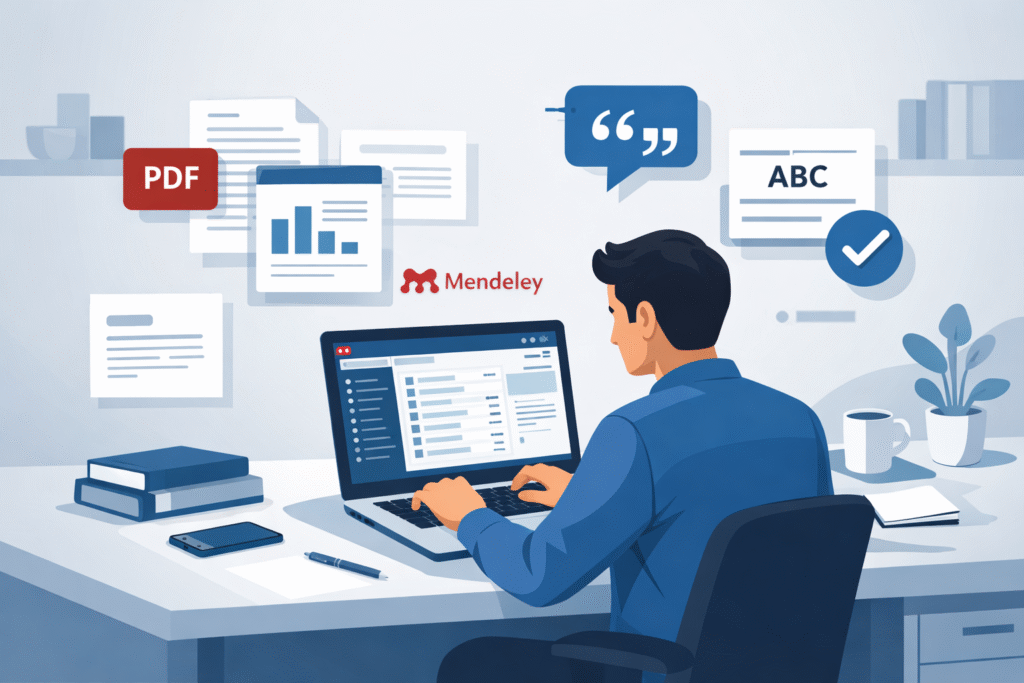
Its main purpose is to simplify the process of managing sources and creating accurate citations, which is a lifesaver for anyone dealing with complex research projects. Over the years, it has gained immense popularity among students, professors, and professional researchers for its user-friendly interface and robust features.
Key Features of Mendeley
- Reference organization: You can sort your research materials into folders, tag them with keywords, and search through them quickly. This makes it simple to locate exactly what you need, even in large libraries.
- PDF annotation: Mendeley allows you to highlight text, add notes, and even annotate PDFs directly within the app. This feature is particularly helpful for researchers who like to make observations and comments while reading.
- Citation generation: One of Mendeley’s standout features is its ability to generate citations and bibliographies automatically. Just select your desired citation style, and Mendeley takes care of formatting, saving you hours of manual work.
What’s New in Mendeley 2025 Features
The 2025 version of Mendeley introduces several exciting updates that enhance usability and collaboration. These Mendeley 2025 features make it an even more attractive option for researchers looking to streamline their workflow and improve efficiency.
Improved Collaboration Tools
One of the most significant updates is the improved collaboration tools. Researchers can now create group projects, share libraries, and collaborate with colleagues more effectively. Whether you’re working with a team on a joint paper or sharing reading materials with classmates, these tools make group research smoother and more coordinated.
Enhanced PDF Management
Mendeley 2025 also brings enhanced PDF management features. Users can now annotate, highlight, and tag PDFs with greater ease. This means you can keep your notes organized and directly linked to the relevant sections of your documents, reducing the need to flip through multiple sources.
New Research Workflow Features
The new research workflow improvements make integrating Mendeley into your writing process seamless. It now works more smoothly with Word, Google Docs, and other writing tools, allowing you to insert citations directly as you write. This integration eliminates tedious back-and-forth steps and ensures your references are always accurate and up-to-date.
How to Use Mendeley for Academic Research
Getting started with Mendeley is straightforward, even for beginners. Here’s a simple guide on how to use Mendeley effectively to manage your research.
Importing References
To begin, you’ll want to add your references to Mendeley. You can do this by importing PDFs from your computer, importing references directly from online databases, or entering them manually. Mendeley will automatically extract metadata from most PDFs, saving you time and effort.
Creating Citations and Bibliographies
Once your library is set up, you can start creating citations and bibliographies using Mendeley. This is where the Mendeley citation software really shines. Simply select your preferred citation style—APA, MLA, Chicago, or others—and Mendeley generates correctly formatted references. You can then insert them directly into your Word or Google Docs document, streamlining the writing process.
Sharing References with Teams
Mendeley makes collaboration effortless by allowing you to share references and entire libraries with your team. Collaborative folders ensure everyone has access to the same resources, and syncing libraries keeps all members up-to-date with the latest additions or edits. This is particularly useful for group research projects or lab teams.
Mendeley vs Zotero: Which Reference Manager Is Better?
When it comes to choosing the right reference manager, many researchers often compare Mendeley vs Zotero. Both are popular, but each has its strengths and weaknesses depending on your needs.
Ease of Use Comparison
Mendeley is known for its intuitive interface and beginner-friendly design. Setting up your library, importing references, and creating citations is relatively simple. Zotero is also user-friendly but can feel slightly more technical for new users due to its additional configuration options.
Platform Support and Integration
Both Mendeley and Zotero offer desktop, web, and mobile versions, but Mendeley excels with its seamless integration into Word and Google Docs. Zotero supports these platforms too, but some users report more frequent issues when syncing citations in collaborative documents.
Pricing and Plans
Mendeley provides a generous free plan with 2GB of cloud storage, which is sufficient for most students and researchers. Paid plans increase storage and offer enhanced collaboration features. Zotero is entirely free, though it offers paid storage upgrades. If you require advanced team collaboration, Mendeley’s paid plans might provide more value.
Pros and Cons of Mendeley Reference Manager
No reference manager is perfect, and Mendeley is no exception. A fair evaluation requires looking at both sides, especially for researchers deciding whether it fits their workflow. This balanced look at Mendeley pros and cons will help you understand where the tool shines and where it may fall short.
Advantages of Using Mendeley
One of the biggest advantages of Mendeley is that it offers a solid free version. For students and early-career researchers, this is often more than enough to manage references, annotate PDFs, and generate citations without spending any money.
Cloud storage is another strong point. Mendeley automatically syncs your library across devices, allowing you to access your research from your laptop, desktop, or even a different computer entirely. This is especially helpful if you work across multiple locations or collaborate with others.
Collaboration tools make Mendeley stand out compared to many alternatives. You can create shared folders, invite collaborators, and work on the same set of references in real time. For group projects, lab teams, or co-authored papers, this feature alone can save hours of coordination.
Mendeley’s PDF tools are also a major plus. You can highlight text, add notes, and annotate directly within the platform. Everything stays linked to the original reference, which helps you stay organized and avoid juggling multiple apps during your literature review.
Limitations to Consider
Despite its strengths, Mendeley does have some drawbacks. One commonly reported issue is syncing. While cloud syncing is generally reliable, occasional delays or conflicts can occur, especially with large libraries or poor internet connections.
The free version also has limitations. Storage space is capped, and while many citation styles are available, some advanced or niche styles may require manual adjustments or paid features.
Another consideration is ownership and data control. Since Mendeley is owned by Elsevier, some researchers prefer open-source alternatives for philosophical or institutional reasons. This has led many users to explore tools like Zotero or EndNote as alternatives.
Organizing Your Library with Mendeley
Effective organization is where Mendeley truly proves its value. With the right approach to Mendeley library organization, even large and complex research projects can stay manageable and stress-free.
Organizing Folders and Collections
Mendeley allows you to create folders and collections based on your needs. Many researchers organize by project, creating a separate folder for each paper or study. Others prefer organizing by topic or course, especially students juggling multiple classes at once.
This flexibility makes it easy to adapt Mendeley to your personal workflow. You can nest folders, move references between them, and reuse the same reference across multiple collections without duplication.
Searching and Tagging References
Beyond folders, tagging is one of the most powerful organizational tools in Mendeley. By adding keywords or tags to references, you can quickly filter and locate sources later.
The built-in search function lets you search by author, title, keyword, or even notes within PDFs. Combined with filters, this makes finding specific references fast, even in libraries with thousands of entries.
Citation Styles and Formatting in Mendeley
Citation management is one of the main reasons researchers choose Mendeley. Understanding how Mendeley citation styles work can save you a significant amount of time during the writing and revision process.
Popular Citation Styles Supported
Mendeley supports a wide range of commonly used citation styles, including APA, MLA, Chicago, and Harvard. These cover most academic disciplines, from social sciences and humanities to engineering and medicine.
You can easily switch citation styles with just a few clicks, which is incredibly useful when submitting the same paper to different journals with varying requirements.
Customizing Citation Formats
For users with more specific needs, Mendeley allows citation styles to be edited. You can modify existing styles or save custom templates to match specific journal guidelines.
While this requires a bit of learning, it offers flexibility for advanced users and ensures your references meet even the strictest formatting rules.
Mendeley Desktop vs Web: Which Should You Choose?
Choosing between the desktop and web versions often depends on how and where you work. Understanding Mendeley desktop vs web differences can help you decide which version suits you best.
Desktop Advantages
The desktop version is ideal for users who need offline access. You can read, annotate, and organize PDFs without an internet connection, making it perfect for travel or limited connectivity environments.
It also offers more advanced PDF tools and smoother performance when working with large libraries.
Web Advantages
The web version focuses on convenience and accessibility. Since it runs in your browser, you can log in from any device without installing software.
Cloud syncing ensures your library is always up to date, and the interface is clean and easy to navigate, especially for quick reference checks or light editing.
Mendeley Updates 2025: Should You Upgrade?
The Mendeley updates 2025 focus heavily on security, collaboration, and workflow improvements. Enhanced encryption and account security help protect sensitive research data.
Collaboration features have become smoother, with better shared folder management and real-time syncing. Workflow tools now integrate more seamlessly with writing platforms, reducing friction during the drafting process.
If you rely on Mendeley regularly, upgrading ensures access to these improvements and a more reliable research experience.
Is Mendeley Still Worth Using in 2025?
So, is Mendeley still worth using in 2025? For most users, the answer is yes. It offers a strong balance of features, usability, and affordability.
Compared to competitors, Mendeley excels in collaboration and PDF management, while tools like Zotero appeal more to users who prioritize open-source software.
As a best reference manager 2025 contender, Mendeley remains an excellent choice for students, academics, and researchers who want an all-in-one research management solution.
FAQs
Q1: Is Mendeley free to use in 2025?
Yes, Mendeley offers a free plan with core features, including reference management, PDF annotation, and citation generation.
Q2: Can I use Mendeley on multiple devices?
Yes, Mendeley syncs your library across multiple devices using cloud storage.
Q3: How does Mendeley compare with Zotero?
Mendeley focuses more on collaboration and PDF tools, while Zotero emphasizes open-source flexibility.
Q4: Can Mendeley handle large libraries efficiently?
Yes, with proper organization and tagging, Mendeley can manage large libraries effectively.
Q5: Are Mendeley citation styles customizable?
Yes, Mendeley allows users to edit and save custom citation styles.