
CloneVoice AI is a powerful AI voice cloning and text-to-speech tool for creators. Generate realistic voiceovers for YouTube, audiobooks, podcasts, and online courses. This review covers features, pricing, pros & cons, and competitor comparisons.
AI voice cloning has quickly moved from being a futuristic idea to a practical tool that everyday creators can use. In 2026, more YouTubers, course creators, podcasters, and marketers are using AI-generated voices to save time and scale content production. That’s where CloneVoice AI enters the conversation.
In this detailed CloneVoice AI Review, we’ll explore what the tool does, how it works, its features, pricing structure, advantages, limitations, and how it compares to other AI voice tools. If you’re considering using AI voice cloning software for your projects, this guide will help you make an informed decision.
By the end of this article, you’ll clearly understand whether CloneVoice AI fits your needs or if you should consider alternatives.
Table of Contents
What Is CloneVoice AI?
CloneVoice AI is an AI voice cloning tool designed to replicate a real human voice and convert written text into natural-sounding speech. In simple terms, you provide a sample of a voice, and the system learns its tone, rhythm, pitch, and speech patterns. After that, you can type any script, and the software will generate audio that sounds like the original voice.
The technology behind this process uses deep learning models trained on thousands of speech patterns. These models analyze how humans speak, including pauses, emphasis, and emotional variations. Once trained with your voice sample, the AI can recreate similar patterns when reading new text.
For beginners, the process is surprisingly straightforward. You don’t need to understand artificial intelligence or machine learning. The platform is built for creators who want results without technical complexity. If you’ve ever used a text editor or uploaded a file online, you can use CloneVoice AI.
At its core, the tool solves one major problem: time. Instead of recording voiceovers repeatedly or hiring voice actors, creators can generate narration instantly.
Key Features of CloneVoice AI
CloneVoice AI includes several features designed to make voice generation simple and practical for content creators. Let’s explore the most important ones.
Ultra-Realistic Voice Cloning
The main appeal of CloneVoice AI is its ability to create highly realistic voice replicas. After uploading a clear voice sample, the system analyzes elements such as tone, accent, pronunciation, and pacing. The result is a digital version of that voice that can read any script you provide.
While no AI tool perfectly replicates human emotion in every scenario, the output is often convincing enough for YouTube videos, training materials, audiobooks, and social media content. The realism improves significantly when the original recording is clear and free from background noise.
This feature is especially useful for creators who want to maintain a consistent voice across multiple projects without constantly recording new audio.
Text-to-Speech (TTS) Conversion
Once your voice is trained, the process becomes even easier. You simply type or paste your script into the platform’s text editor and click generate. Within moments, the AI converts your text into spoken audio using the cloned voice.
This function is extremely helpful for making quick edits. If you spot a mistake in your script, you don’t need to re-record an entire paragraph. You just correct the text and regenerate the audio. This saves hours of work, especially for long-form content like online courses or audiobooks.
Some plans may also support multiple languages or accents, depending on the package you choose.
Voice Customization Controls
CloneVoice AI usually offers controls that allow you to adjust the final output. These may include modifying speed, pitch, and sometimes emotional tone. This flexibility allows you to adapt the voice for different content types.
For example, educational content may require a slower, calm delivery, while promotional videos may benefit from a faster and more energetic tone. These customization tools help you fine-tune the output so it matches your intended message.
Although customization improves versatility, it still operates within the boundaries of AI-generated speech, which may not always capture subtle emotional nuances perfectly.
Commercial License
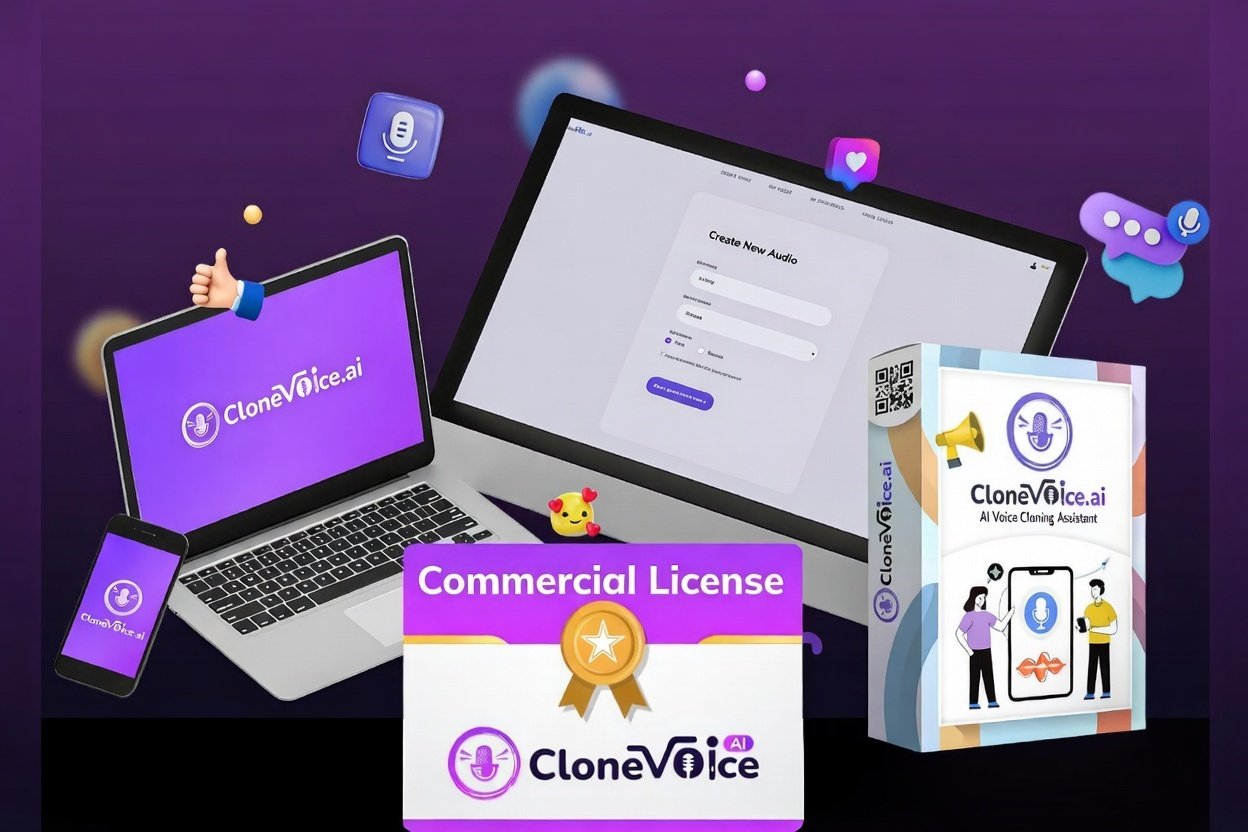
One of the most important considerations for creators is whether they can monetize the content generated using the tool. Most versions of CloneVoice AI include commercial rights, allowing users to create voiceovers for monetized YouTube videos, client projects, advertisements, and online courses.
However, it’s always important to review the exact licensing terms before using generated voices for commercial purposes. Each plan may have different conditions.
Cloud-Based Platform
CloneVoice AI is typically cloud-based, meaning it runs entirely online. There’s no need to install large software files or manage system updates. This makes it accessible on both Mac and Windows devices.
Because everything runs in the browser, creators can access their projects from anywhere with an internet connection. This convenience removes technical barriers and simplifies the workflow.
CloneVoice AI Pricing & Plans
Pricing is often a deciding factor when choosing an AI voice cloning tool. CloneVoice AI may offer different pricing structures depending on the version being promoted. Some tools operate on a monthly subscription basis, while others provide a one-time payment option with optional upgrades.
CloneVoice AI uses a one-time payment model rather than a recurring monthly subscription. The pricing typically starts at $49 for the Basic Plan and goes up to $169 for the All-Access Plan.
The Basic Plan gives you lifetime access to core voice cloning and text-to-speech features, with daily limits on how much audio you can generate (for example up to 30 minutes of audio per day).
The All-Access Plan expands these limits to more — such as up to 2 hours of daily audio generation — and unlocks premium features like AI music creation, advanced voice dubbing, AI podcast maker, audiobook tools, and more.
Both plans come with a 30-day money-back guarantee, so you can test the tool and request a refund if it doesn’t meet your expectations.
This one-time pricing approach is attractive compared to many other AI tools that charge monthly fees.
How to Use CloneVoice AI (Step-by-Step)
Using CloneVoice AI is designed to be simple, even for beginners. Below are the exact steps you’ll take from start to finish.
Step 1: Create an Account and Log In
First, visit the CloneVoice AI website and sign up with your email address. Once registered, you’ll reach your dashboard where all tools and features are organized.
Most users find the interface straightforward, with clear navigation to the voice cloning and text-to-speech sections.
Step 2: Upload or Record a Voice Sample
Next, you need to provide a voice sample for cloning.
This can be a recorded file you upload or a voice recording you make directly on the platform. It’s important that the sample is clear, recorded in a quiet environment, and contains at least a few sentences of speech. Clean audio helps the AI learn voice patterns accurately.
The better the quality of your sample, the better the cloned voice will sound.
Step 3: Train Your Custom Voice Model
After uploading your sample, the AI begins training your custom voice model.
Training usually only takes a few minutes. During this time, the system analyzes the unique characteristics of the voice — including tone, pitch, accent, and pacing — to reproduce it faithfully.
Once training is complete, your cloned voice is ready for use.
Step 4: Type or Paste Your Script
With your clone trained, you move to the text editor inside the platform.
Here you paste or type the script you want the AI to narrate. This can be anything from a short intro, a lengthy lesson for online courses, or even an audiobook script.
The system will generate speech in your cloned voice based on this text.
Step 5: Generate, Review, and Download the Audio
Finally, you click the “Generate” button. The platform creates the audio file based on your script and cloned voice.
After the audio is generated, you can preview it, make edits to the text if needed, and regenerate the audio until you’re satisfied. When ready, download the final file in your preferred format — usually MP3 or WAV.
Now you can use it in your videos, courses, podcasts, or any other content project.
Pros and Cons of CloneVoice AI
Pros
- One-time pricing – you pay once for lifetime access with no monthly fees.
- Beginner-friendly interface – simple steps and clear dashboard make it accessible for all creators.
- Realistic voice cloning – creates convincing voice replicas from your own recordings.
- Commercial license included – you can use generated voiceovers in monetized projects.
- Additional creative tools – such as AI music, voice dubbing, podcasts, and audiobook features (in All-Access plan).
Cons
- Daily limits on audio generation – especially in the Basic plan.
- Quality depends on input sample – low-quality recordings lead to less convincing clones.
- Not as emotionally nuanced as professional actors – while realistic, emotional expressiveness still has limits.
- Some advanced features only in premium tier – All-Access plan adds more tools and higher limits, but costs more.
Real Use Cases of CloneVoice AI
CloneVoice AI can serve various types of creators. YouTubers running faceless automation channels benefit from the ability to produce voiceovers quickly and consistently. Instead of hiring freelancers or recording late at night, they can generate narration instantly.
Authors creating audiobooks can use the tool to narrate their work without spending weeks in a recording studio. Online educators can update lessons without re-recording entire modules when information changes.
Marketing agencies may also use the platform to produce voiceovers for multiple clients efficiently. Social media creators who publish short-form content can maintain a consistent brand voice across platforms.
The common theme across all these use cases is efficiency. The tool reduces time spent on recording while maintaining acceptable audio quality.
CloneVoice AI vs Competitors
The AI voice generation space includes several well-known companies such as Murf AI, ElevenLabs, and Descript. Comparing these tools helps clarify where CloneVoice AI stands.
Below is a simplified comparison:
| Feature | CloneVoice AI | Murf AI | ElevenLabs | Descript |
|---|---|---|---|---|
| Voice Cloning | Yes | Limited | Advanced | Limited |
| Realism Level | Moderate to High | Moderate | Very High | Moderate |
| Ease of Use | Beginner-friendly | Beginner-friendly | Moderate learning curve | Easy |
| Editing Tools | Basic | Basic | Basic | Advanced editing suite |
| Pricing Model | Varies | Subscription | Subscription | Subscription |
| Best For | Content creators | Corporate presentations | High realism projects | Podcasters & editors |
From this comparison, ElevenLabs often leads in ultra-realistic voice output, while Descript offers strong audio editing tools beyond simple voice cloning. Murf AI focuses more on business and presentation voices.
CloneVoice AI positions itself as a creator-friendly solution that balances simplicity and performance. If ease of use is your priority, it can be an attractive option.
Is CloneVoice AI Legit or Scam?
With many AI tools launching rapidly, skepticism is understandable. Determining whether CloneVoice AI is legitimate involves examining transparency, support availability, refund policies, and user feedback.
A clear pricing structure and money-back guarantee are positive signs. Active customer support channels and visible company information also increase credibility.
However, ethical use remains critical. Voice cloning should only be done with permission from the voice owner. Misuse can lead to legal and reputational consequences. When used responsibly, AI voice cloning tools are legitimate productivity solutions.
Final Verdict: Is CloneVoice AI Worth It?
So, is CloneVoice AI worth considering?
If you regularly create digital content and want to reduce time spent recording voiceovers, the tool can offer real efficiency benefits. It works particularly well for YouTube automation, online courses, audiobooks, and social media narration.
However, if you require highly emotional, dramatic performances or cinematic-quality narration, you may still prefer professional voice actors or more advanced platforms.
Overall, CloneVoice AI provides a practical balance between simplicity, affordability, and functionality. For many creators, that balance is exactly what makes it worthwhile.
FAQ Section
Is CloneVoice AI safe to use?
Yes, the platform is generally safe to use as long as you follow ethical guidelines. Always ensure you have permission to clone any voice you upload. Reviewing privacy policies and licensing terms is recommended before starting commercial projects.
Does CloneVoice AI require technical skills?
No, it is designed for beginners. The dashboard is user-friendly, and the process involves uploading a voice sample, typing text, and generating audio. No coding or advanced technical knowledge is required.
Can I use CloneVoice AI for commercial projects?
Most plans include commercial rights, allowing monetization on platforms like YouTube or use in client projects. However, you should confirm the specific terms attached to your subscription plan.
How realistic are the voices?
The realism depends on the quality of your voice sample. Clear recordings produce better results. While impressive, AI-generated voices may still lack subtle emotional variation compared to professional human narration.
Does CloneVoice AI support multiple languages?
Language support varies depending on the plan. Some versions may include multilingual capabilities. Always check feature details before purchasing if multilingual output is essential for your content strategy.