AI design tools have been gaining massive traction in 2025 and 2026, and it’s easy to see why. Every day, creators, marketers, and social media managers are searching for ways to streamline content creation without sacrificing quality. From auto-generated graphics to smart resizing and AI-driven suggestions, these platforms promise to make designing not just easier, but smarter. Yet, with multiple options available, choosing the right tool can be tricky.
That’s where this comparison comes in: Canva Magic Studio vs Adobe Express. We’re going to break down these two popular AI design platforms, looking at their features, usability, templates, collaboration options, pricing, and more. Whether you’re a content creator looking to save time, a marketer aiming for visually striking posts, or a student designing presentations, picking the right AI design tool can dramatically impact your productivity—and the quality of your work.
Think of it this way: using a tool that doesn’t fit your workflow can slow you down, frustrate you, and even make you second-guess your creative decisions. On the other hand, the right platform will feel almost like an extra teammate, anticipating your needs, helping with repetitive tasks, and giving you more time to focus on ideas rather than formatting.
So, let’s dive in.
Table of Contents
Canva Magic Studio vs Adobe Express: Overview
Canva Magic Studio
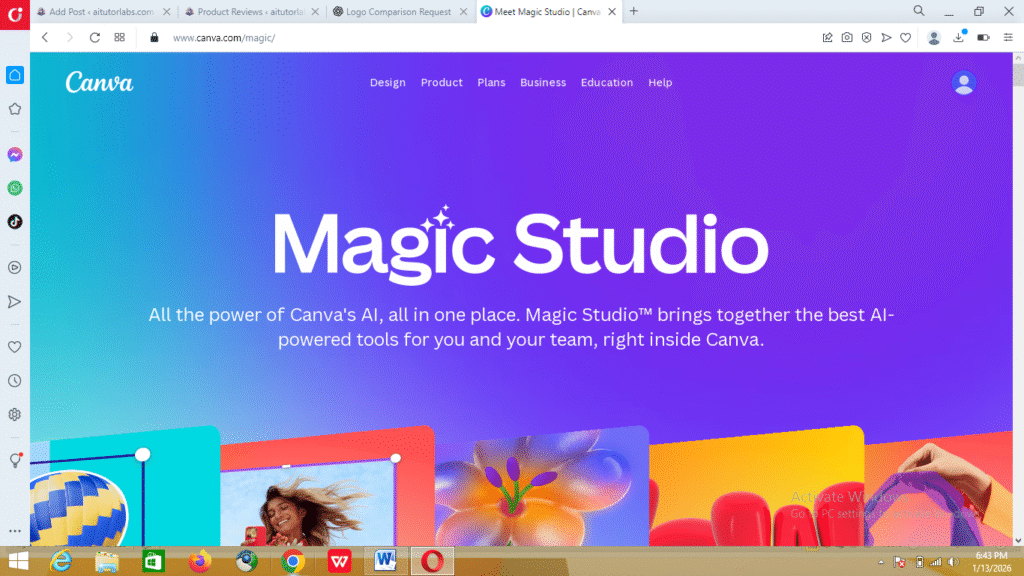
Canva Magic Studio, launched as part of Canva’s broader AI-powered suite, has quickly become a favorite for creators looking for an intuitive design experience. Canva started in 2013 as a simple drag-and-drop design tool, but with the addition of Magic Studio, it has transformed into a platform capable of generating images, layouts, and even full presentations almost automatically.
Its key features include AI-powered design suggestions, automatic resizing, brand kit management, and access to a huge library of templates, icons, fonts, and stock photos. Canva Magic Studio is particularly appealing for creators who want high-quality results without spending hours tweaking layouts manually.
The target audience is broad but heavily skewed toward creators, marketers, and social media managers who need professional-looking content fast. It’s especially useful for those managing multiple social accounts or running small businesses and startups.
Pricing-wise, Canva offers a free tier with access to most basic templates and tools, which is perfect for beginners or casual creators. The Pro tier, priced monthly or annually, unlocks advanced AI features, premium templates, unlimited cloud storage, and brand kits—making it ideal for professionals who rely on design for revenue or audience growth.
Learn more about Canva Magic Studio in our comprehensive review.
Adobe Express
Adobe Express, formerly known as Adobe Spark, has been Adobe’s answer to simplified design creation for non-designers. While Adobe is historically known for powerhouse tools like Photoshop and Illustrator, Express is all about speed and accessibility. It lets users create social media graphics, web pages, and short videos quickly, with AI-assisted suggestions to streamline layouts and designs.
Key features include pre-built templates, stock image access, typography tools, and integration with Adobe’s Creative Cloud ecosystem. AI-driven functionality, such as smart resizing and content-aware adjustments, ensures that your designs remain polished without requiring deep technical expertise.
The target audience for Adobe Express is similar: marketers, small business owners, students, and content creators looking for a simple yet powerful tool. The platform benefits anyone who wants Adobe-quality results but without the steep learning curve of Photoshop or Illustrator.
Adobe Express offers a free plan with basic templates and limited exports. Paid tiers, including individual and team subscriptions, unlock premium assets, brand customization, and enhanced collaboration options.
Key Comparison Criteria
To fairly evaluate these two platforms, we’ll focus on several key criteria that matter most to creators:
- Ease of Use / Interface
- AI-Powered Features
- Templates and Assets
- Collaboration & Sharing
- Mobile & Desktop Experience
- Pricing vs Value
These areas will help you understand not just which tool has more features, but which one is likely to fit your workflow and creative needs better.
Detailed Feature Comparison
Ease of Use
In terms of usability, Canva Magic Studio feels like it was built for people who want results fast. Its drag-and-drop interface is intuitive, menus are well-organized, and almost every action comes with helpful prompts or tooltips. Even first-time users can produce polished designs within minutes.
Adobe Express is also user-friendly but feels slightly more structured. There’s a learning curve if you want to explore the deeper customization options, especially if you’re used to traditional Adobe software. However, for basic social media graphics or presentations, it’s straightforward and dependable.
AI Features
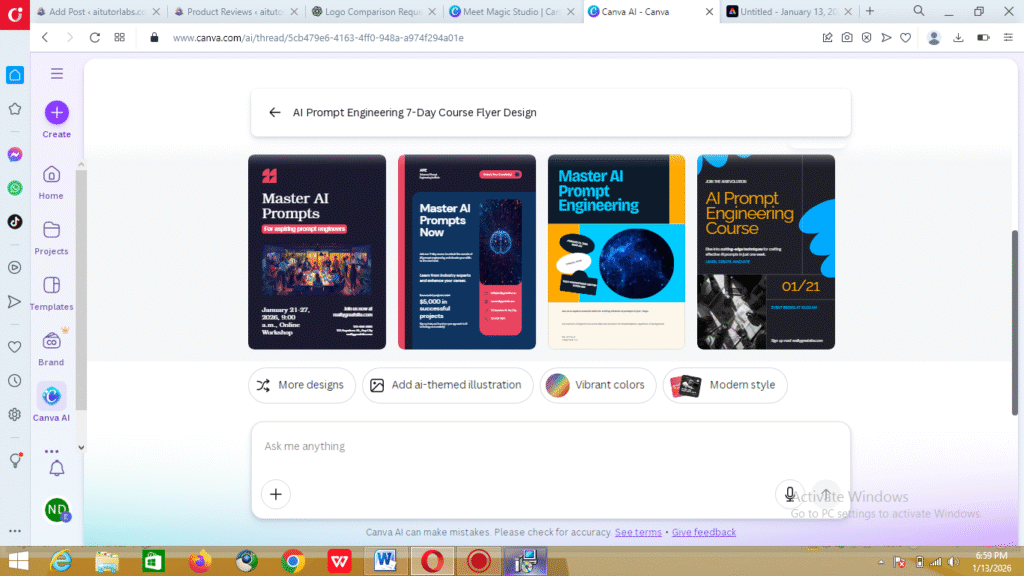
This is where the comparison gets interesting. Canva Magic Studio shines with its advanced AI tools. Magic Resize automatically adjusts layouts for any platform, AI-generated design suggestions help optimize color schemes and spacing, and even text and image placement can be guided by the system. It’s particularly useful for creators who juggle multiple design formats daily.
Adobe Express offers AI-powered features as well, including smart resizing and auto-suggestions, but they’re more limited in scope. Adobe excels in blending simplicity with precision, but Canva’s AI features are generally more robust for content-heavy projects.
Templates & Design Assets
Canva Magic Studio boasts over 10,000 templates, covering social media posts, presentations, videos, and more. Combined with a library of stock photos, icons, and fonts, it provides virtually endless creative possibilities. Unique AI templates further allow users to generate designs that feel original rather than recycled.
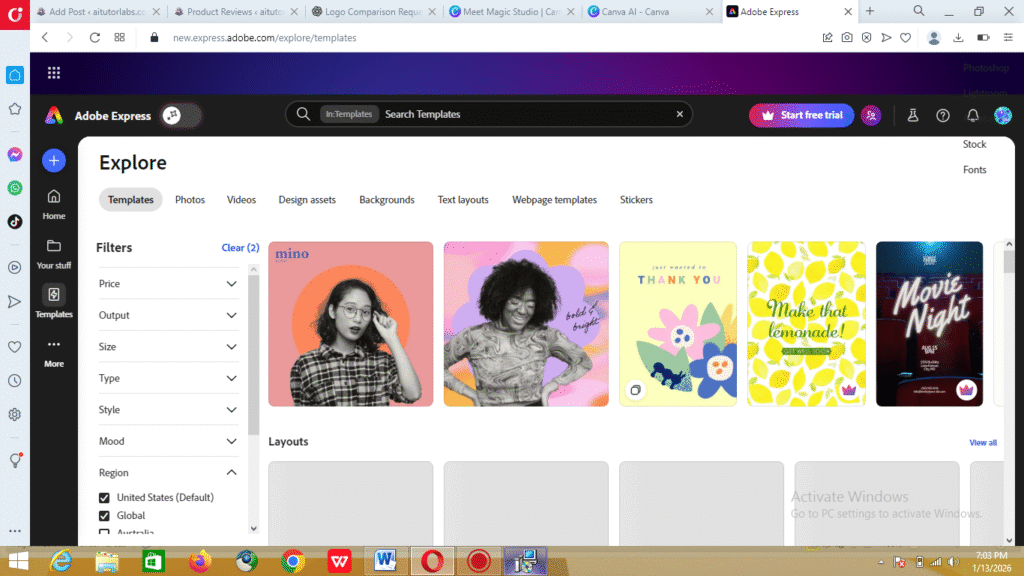
Adobe Express has around 8,000 templates and a solid collection of stock images. The templates are polished, but in comparison, Canva’s library feels more expansive and diverse, especially for content creators who need variety and flexibility.
Collaboration & Sharing
Collaboration is a strong point for Canva Magic Studio. Real-time team editing, shared folders, and brand kit management make it easy for teams to work together seamlessly. Whether you’re co-creating a campaign or sharing feedback, Canva keeps everyone in sync.
Adobe Express supports collaboration but in a more basic form. It allows sharing projects and exporting files easily but doesn’t offer the same level of live team editing or integrated brand management.
Mobile & Desktop Experience
Both platforms have capable mobile apps and web-based versions. Canva Magic Studio’s mobile experience is surprisingly robust; you can create full designs almost as easily as on desktop. Adobe Express mobile app is solid but slightly less flexible for complex layouts. Speed, reliability, and user interface smoothness are strong in both, though Canva edges out slightly in seamless cross-device continuity.
Pricing Analysis
Pricing is an important factor when choosing between Canva Magic Studio and Adobe Express, especially if you create content regularly or manage multiple projects.
Canva Magic Studio offers:
- Free plan ($0/month): Access to thousands of templates, basic AI features, standard stock photos, and limited cloud storage—perfect for beginners or casual creators.
- Pro plan (~$12.99/month or ~$119.99/year): Unlocks full AI functionality, premium templates, unlimited cloud storage, brand kits, and enhanced collaboration features. This tier is ideal for marketers, social media managers, or content teams who need consistent, high-quality output.
Adobe Express provides:
- Free plan ($0/month): Basic templates, stock photos, and standard export options—great for simple posts or occasional design needs.
- Individual plan (~$9.99/month or ~$99.99/year): Includes premium templates, brand customization, additional stock assets, and advanced export options.
- Team/Business plan (~$22.99/month per user): Adds collaboration tools, shared assets, and admin controls, making it suitable for small teams or agencies.
Cost-effectiveness: Both platforms are competitively priced, but Canva’s Pro tier generally offers higher value for creators who rely on AI tools, extensive template libraries, and robust collaboration. Adobe Express is better for simpler, faster projects or solo creators who prioritize ease of use over automation.
Pros and Cons Table
| Feature | Canva Magic Studio | Adobe Express |
|---|---|---|
| Ease of Use | High | Medium |
| AI Features | Advanced | Moderate |
| Templates | 10,000+ | 8,000+ |
| Collaboration | Real-time | Basic |
| Pricing | Free & Paid | Free & Paid |
Best Use Cases
Choosing between Canva Magic Studio and Adobe Express depends largely on your workflow, content needs, and the type of projects you handle.
Who Should Choose Canva Magic Studio
Canva Magic Studio is ideal for creators who juggle multiple design formats and want AI to do some of the heavy lifting. If you manage social media channels, run a small business, or create marketing materials regularly, Canva’s advanced AI templates, real-time collaboration, and massive asset library can save hours each week. It’s also great for teams because the brand kit and collaborative editing features ensure everyone stays on the same page.
Who Should Choose Adobe Express
Adobe Express works best for those who want simplicity without sacrificing quality. If your projects are mostly single-platform social media posts, basic presentations, or web graphics, Adobe Express gives polished results quickly. Students, bloggers, or solo entrepreneurs who don’t need complex AI features may find Adobe Express faster and easier to navigate.
Situations Where One Outperforms the Other
- Speed & automation: Canva Magic Studio excels when you need AI to generate layouts or resize content automatically for multiple platforms.
- Simplicity & learning curve: Adobe Express shines when you want straightforward tools that don’t require exploring dozens of menus.
- Team collaboration: Canva is clearly stronger for collaborative projects.
- Integration with Adobe ecosystem: Adobe Express is beneficial if you already use Creative Cloud apps and want seamless integration.
Verdict / Recommendation
At the end of the day, there isn’t a one-size-fits-all “winner.” Your choice should be guided by your workflow, project volume, and level of comfort with AI tools.
- Canva Magic Studio is best for creators seeking versatility, robust AI-powered automation, and collaborative features. It’s a powerhouse for high-volume, multi-format content creation.
- Adobe Express is ideal for those who want quick, professional results for simpler projects, especially when time or technical skill is limited.
The key takeaway: consider your goals, the types of content you produce, and whether AI automation or simplicity matters more. Make an informed decision that aligns with your productivity needs, rather than chasing a universal “best” label.
Conclusion
Choosing the right AI design tool is more than a preference—it’s a productivity decision. Canva Magic Studio and Adobe Express each bring unique strengths to the table, whether it’s AI-driven automation, template variety, simplicity, or integration with other software.
By matching your tool choice to your workflow, team size, and content goals, you can streamline design processes, maintain quality, and reclaim time for creativity. The right AI tool doesn’t just make design easier—it makes your work smarter.
FAQs
Canva Magic Studio vs Adobe Express pricing:
Both platforms offer free tiers for basic projects. Canva’s Pro plan unlocks advanced AI features, premium templates, and unlimited storage. Adobe Express premium plans include brand customization, additional templates, and stock assets. Pricing is competitive, but Canva’s Pro plan often provides more value for creators who produce content frequently.
Is Canva Magic Studio better for beginners?
Yes, Canva Magic Studio is beginner-friendly thanks to its drag-and-drop interface, AI-assisted design suggestions, and library of ready-to-use templates. Even novices can create polished designs quickly, making it accessible without prior design experience.
Can Adobe Express replace Photoshop?
Not entirely. Adobe Express is designed for quick, accessible graphic creation rather than deep, professional-level image editing. Photoshop remains superior for detailed photo manipulation, layered compositions, and advanced design work. Adobe Express is better suited for fast, high-quality social media graphics and presentations.
Are AI tools effective for social media content?
Absolutely. Both Canva Magic Studio and Adobe Express save time with AI-assisted templates, auto-resizing, and design suggestions. They help creators maintain a consistent look and professional quality across platforms, allowing more focus on content strategy and engagement rather than layout and formatting.