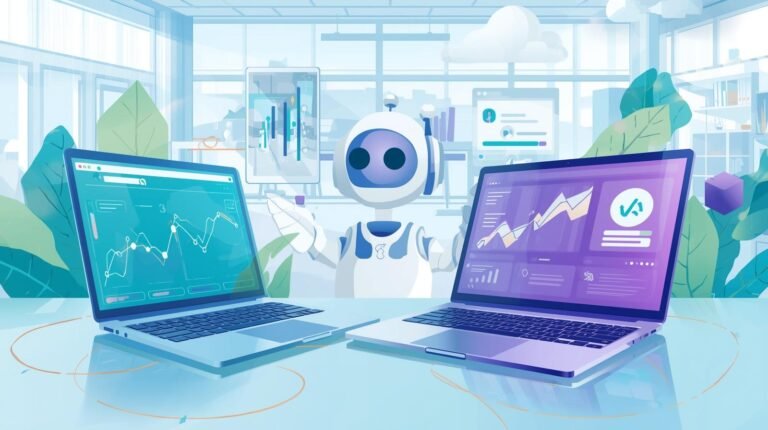
Time management has become one of the biggest challenges facing modern professionals. Between juggling meetings, coordinating team schedules, and managing endless calendar conflicts, the administrative burden of simply organizing time has reached unsustainable levels. According to recent data, 43% of employees spend at least three hours per week just scheduling meetings. That’s time lost to coordination instead of actual productive work.
This is where boosting productivity with AI scheduling tools becomes a game-changer.
AI scheduling has evolved far beyond simple reminders and calendar alerts. Today’s intelligent assistants can analyze availability patterns, suggest optimal meeting times based on productivity data, coordinate across multiple time zones automatically, and even reschedule conflicts without human intervention. These smart tools are transforming how businesses and individuals manage their most precious resource: time.
This article explores how AI scheduling tools can save hours every week while reducing stress and improving work-life balance.
Why AI Scheduling Tools Are Game Changers
AI scheduling tools have redefined how professionals manage their time by taking over repetitive, time-consuming tasks such as meeting coordination, reminders, and rescheduling. Instead of spending valuable hours going back and forth to find suitable meeting times, these tools automatically handle the process, syncing across calendars and time zones to ensure smooth scheduling.
These intelligent systems learn individual work patterns, recognize peak productivity hours, and predict availability based on historical data. Instead of spending hours sending “Does Tuesday at 2 PM work?” emails, the AI handles everything instantly.
For teams, this means fewer scheduling conflicts and faster meeting coordination across different time zones. Research shows professionals can reclaim up to 5 hours weekly by automating scheduling tasks. The result is more time for actual work, reduced administrative stress, and improved team collaboration efficiency.
Top AI Scheduling Tools for 2025
The market for AI scheduling tools has expanded rapidly, with several standout platforms helping professionals automate time management, reduce stress, and boost productivity. Here’s a breakdown of the best tools leading the way in 2025:
1. Motion – Best for All-in-One Task and Calendar Management
Motion stands out as a comprehensive productivity platform that combines AI scheduling with task management in one seamless interface. The tool automatically builds daily schedules by analyzing your to-do list, calendar availability, and project deadlines. Motion’s AI reschedules tasks dynamically when meetings run long or urgent work appears, ensuring nothing falls through the cracks. It’s particularly valuable for professionals juggling multiple projects who need both calendar management and task prioritization in a single tool.
Key Strengths: Automatic task scheduling, dynamic rescheduling, project deadline tracking, unified calendar and task view.
Pros:
- Combines calendar and task management in one intelligent platform
- Automatically reschedules tasks when priorities change or meetings run over
- Saves significant time by eliminating manual schedule planning
Cons:
- Expensive compared to standalone calendar tools
- Steep learning curve for new users adapting to AI-driven scheduling
- Can feel overwhelming with too many automation features at once
2. Reclaim.ai – Great for Balancing Work and Personal Time Automatically

Reclaim.ai uses AI to find the best times for focused work, meetings, and even breaks. It integrates with Google Calendar to block time intelligently, helping users maintain work-life balance without sacrificing productivity. The platform’s Smart Meetings feature finds optimal times that respect everyone’s focus time and personal commitments. In a “Workforce Trends Report,” users reported: 62.3% better meeting analysis, 69.7% better productivity analysis, and 72.0% better work-life balance analysis through Reclaim’s analytics features.
Key Strengths: Work-life balance optimization, habit protection, multi-calendar sync, focus time defense.
Pros:
- Excellent at protecting personal time and preventing burnout
- Syncs seamlessly across multiple personal and work calendars
- Affordable pricing with a generous free plan
Cons:
- Requires consistent calendar usage to learn patterns effectively
- Can create scheduling conflicts if habits aren’t properly configured
- Limited task management features compared to all-in-one tools
3. Clockwise – Focused on Optimizing Deep Work and Reducing Meeting Conflicts
Clockwise uses AI to create uninterrupted blocks of focus time by intelligently rearranging meetings to cluster together. The tool analyzes team calendars and automatically moves flexible meetings to create longer stretches of productive time for deep work. Clockwise’s AI considers meeting preferences, attendee availability, and productivity patterns when optimizing schedules. Since 2016, Clockwise has helped its users free up over 2 million hours of focus time. The platform also provides analytics showing how team time is spent and where scheduling improvements can be made.
Key Strengths: Focus time optimization, automatic meeting rearrangement, team calendar analytics, flexible meeting identification.
Pros:
- Dramatically increases focus time by clustering meetings intelligently
- Provides valuable analytics on how team time is actually spent
- Works well for teams committed to protecting deep work time
Cons:
- Requires team buy-in for automatic meeting rearrangements to work effectively
- May move meetings without sufficient notice if not configured properly
- Less useful for individuals who don’t have flexible meeting schedules
4. Trevor AI – Helps Freelancers and Solopreneurs Manage Multiple Projects Efficiently
Trevor AI is designed for individuals juggling multiple clients or projects. Trevor integrates with popular project management tools like Todoist and Asana and suggests daily schedules based on task priority, estimated duration, and deadlines. The visual timeline makes it easy to see how committed your day is before accepting new work. Freelancers appreciate Trevor’s ability to prevent overcommitment by showing exactly how much capacity remains.
Key Strengths: Time blocking automation, freelancer-focused features, visual schedule planning, capacity management.
Pros:
- Extremely affordable with robust features even on free plan
- Perfect for freelancers juggling multiple client projects
- Visual interface makes schedule planning intuitive and clear
Cons:
- Limited team collaboration features compared to enterprise tools
- Requires manual task entry and time estimation for best results
- Not ideal for large organizations with complex scheduling needs
5. Google Calendar with Duet AI – Integrates with Other Google Tools to Automate Meeting Setup and Summaries
Google Calendar enhanced with Duet AI brings intelligent scheduling to the world’s most popular calendar platform. Duet AI can automatically suggest meeting times, send invitations, create agendas, and even generate meeting summaries afterward. The integration with Gmail, Google Docs, and Google Meet creates a seamless workflow where AI handles coordination across all communication channels. The AI understands natural language requests like “schedule a team meeting next week when everyone’s available.”
Key Strengths: Native Google Workspace integration, natural language processing, automated meeting summaries, familiar interface.
Pros:
- Seamlessly integrates with Google Workspace tools most people already use
- No learning curve if already familiar with Google Calendar
- Natural language processing makes scheduling feel conversational
Cons:
- Requires Google Workspace subscription for full AI features
- Less powerful than dedicated AI scheduling platforms
- Duet AI features may require higher-tier expensive plans
Future Trends in AI Scheduling
AI scheduling tools are evolving beyond simple automation into intelligent systems that actively enhance productivity. As technology advances, several emerging trends are shaping the future of how we manage time and organize work.
1. Predictive Scheduling
Next-generation AI scheduling tools are beginning to anticipate workload patterns and optimize schedules accordingly. Instead of simply reacting to calendar inputs, they analyze past behavior, meeting durations, and energy levels to suggest when to focus, rest, or collaborate. This proactive approach helps prevent burnout and ensures more balanced workdays. For instance, predictive scheduling can automatically block off recovery time after long meetings or adjust your week to match your natural productivity rhythm.
2. Integration with Voice Assistants and Wearable Tech
Voice-enabled assistants like Google Assistant, Siri, and Alexa are becoming extensions of scheduling platforms. In the near future, you’ll be able to reschedule meetings, set reminders, or adjust priorities simply through voice commands. Integration with wearables like smartwatches and health trackers will further enhance this by using biometric data (such as sleep quality or stress levels) to recommend when to work, take breaks, or even delegate tasks.
3. Personalized Analytics on Productivity Habits
Future AI scheduling tools will provide unprecedented insights into individual productivity patterns through sophisticated analytics dashboards. These systems will track which meeting types drain energy versus energize, identify optimal times of day for creative work versus administrative tasks, and reveal hidden time wasters in daily routines. The AI will generate personalized recommendations like “You’re 40% more productive on writing tasks between 9-11 AM” or “Video calls after 3 PM consistently reduce your next-day performance.” Early adopters of analytics-driven scheduling report discovering surprising patterns in their work habits, leading to schedule restructuring that improves output by 20-30%.
Conclusion
Boosting productivity with AI scheduling tools is no longer a luxury but a necessity for modern professionals and teams aiming to work smarter, not harder. These intelligent tools go beyond simply setting reminders or booking meetings; they analyze habits, predict needs, and optimize daily routines for peak performance.
From automating repetitive scheduling tasks to balancing workloads and reducing burnout, AI-powered schedulers are transforming how people manage their time. As technology continues to evolve, the businesses and individuals who embrace these tools will enjoy greater efficiency, focus, and flexibility in their workdays.
In essence, boosting productivity with AI scheduling tools is about unlocking more time for what truly matters, including creativity, strategy, and meaningful collaboration.
Frequently Asked Questions
Are AI scheduling tools safe to use for business data
Yes, most reputable tools use encryption and secure APIs, but users should review data privacy policies before integrating them.
Which AI scheduling tool is best for teams in 2025?
Tools like Motion and Clockwise are top choices for teams because they integrate collaboration, task management, and smart meeting optimization.