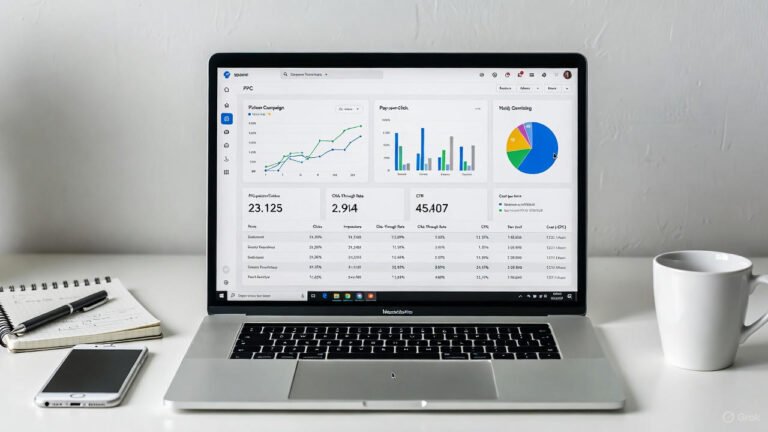
Digital marketing without analytics is like driving blindfolded. You might be moving forward, but you have no idea where you’re going or if you’re headed in the right direction. Understanding the best apps for digital marketing analytics has become critical for marketers who want to make informed decisions, prove ROI, and continuously improve campaign performance in 2025’s data-driven landscape.
From website traffic analysis to social media engagement tracking to comprehensive customer journey mapping, today’s analytics apps transform raw data into actionable insights. These platforms reveal what’s working, what’s failing, and where opportunities exist that you might otherwise miss completely.
Marketers using the best apps for digital marketing analytics report significant improvements: 45% better campaign targeting accuracy, 3x faster identification of underperforming content, and clearer budget allocation decisions backed by concrete evidence. Modern analytics tools aren’t just measuring success after the fact. They’re predicting trends, automating reporting, and providing real-time intelligence that separates winning campaigns from wasted budgets.
Why Analytics Tools Matter for Digital Marketers
Running digital marketing campaigns without analytics is expensive guesswork. Many marketers waste thousands on ads that don’t convert, create content nobody reads, or target audiences that never engage simply because they lack data visibility. Without clear insights, you’re making decisions based on assumptions rather than evidence.
Analytics tools solve this by tracking essential KPIs like engagement rates, click-through rates (CTR), conversion percentages, and customer acquisition costs. These metrics reveal which campaigns deliver results and which drain budgets without returns. According to recent industry research, 87% of marketers consider data analytics their most underutilized asset despite its critical importance.
Modern analytics platforms improve efficiency by automating data collection, generating instant reports, and highlighting trends that would take hours to identify manually. This efficiency enables marketers to scale successful strategies confidently while eliminating tactics that fail, maximizing ROI across all channels.
Top Apps for Digital Marketing Analytics in 2025
A. Website & Conversion Analytics
Google Analytics 4
Google Analytics 4 is the industry-standard free platform for tracking website traffic, user behavior, and conversion paths. It uses event-based tracking rather than session-based measurement, providing deeper insights into customer journeys across devices and platforms. GA4’s AI-powered predictive analytics forecast future user actions, helping marketers anticipate trends. The platform integrates seamlessly with Google Ads, Search Console, and BigQuery for comprehensive data analysis.
Key Features:
- Cross-platform tracking (web and app)
- Predictive metrics powered by machine learning
- Custom event tracking without code
- Free with unlimited data collection
Pricing: Free (with premium Google Analytics 360 for enterprises starting at $50,000/year)
Ideal Use Case: Businesses of all sizes needing comprehensive website analytics, conversion tracking, and audience insights without budget constraints.
B. All-in-One Marketing Analytics
HubSpot Marketing Analytics
HubSpot Marketing Analytics provides full-funnel visibility from first touch to closed deal, making it invaluable for inbound marketing strategies. The platform tracks email campaigns, landing pages, social media, blog performance, and lead generation within one unified dashboard. HubSpot’s attribution reporting shows which channels and content pieces contribute most to conversions, enabling smarter budget allocation. Integration with HubSpot CRM connects marketing metrics directly to sales outcomes. Businesses using HubSpot’s marketing analytics report a 75% improvement in campaign ROI visibility within the first year. This highlights how HubSpot’s data-driven insights help optimize inbound marketing strategies.
Key Features:
- Multi-touch attribution modeling
- Campaign ROI tracking across all channels
- Custom reporting dashboards
- CRM integration for closed-loop reporting
Pricing: Free basic tools; Marketing Hub starts at $800/month for advanced analytics
Ideal Use Case: B2B companies and agencies running integrated inbound marketing campaigns who need to track complete customer journeys from awareness to sale.
C. SEO & Competitive Intelligence
Semrush
Semrush is the leading SEO and competitive analysis platform providing insights into organic search performance, paid advertising strategies, and competitor tactics. Beyond keyword rankings, Semrush analyzes backlink profiles, content performance, traffic sources, and advertising spend estimates for any domain. The platform’s Market Explorer tool reveals industry trends and audience overlap with competitors, while Position Tracking monitors daily ranking changes across locations and devices. Semrush is trusted by over 10 million marketing professionals for SEO, PPC, and content analytics.
Its comprehensive competitive insights make it one of the most used analytics platforms in the industry.
Key Features:
- Keyword ranking tracking and opportunity identification
- Competitor traffic and strategy analysis
- Backlink audit and link-building tools
- Content performance and gap analysis
Pricing: Plans start at $139.95/month; Pro, Guru, and Business tiers available
Ideal Use Case: SEO specialists, content marketers, and businesses prioritizing organic search growth who need comprehensive competitor intelligence and keyword research capabilities.

D. Social Media Analytics
Hootsuite Analytics
Hootsuite Analytics delivers centralized social media performance tracking across Facebook, Instagram, Twitter, LinkedIn, TikTok, Pinterest, and YouTube from one dashboard. The platform measures engagement rates, follower growth, post performance, and optimal posting times while benchmarking your results against competitors. Hootsuite’s customizable reports combine data from multiple networks, making it easy to demonstrate social ROI to stakeholders with white-label presentations.
Key Features:
- Multi-platform social media metrics in one dashboard
- Competitor benchmarking and industry comparisons
- Customizable reports with white-label options
- Best time to post recommendations
Pricing: Plans start at $99/month; Professional, Team, and Enterprise options available
Ideal Use Case: Social media managers and teams handling multiple brand accounts across various platforms who need consolidated reporting and competitive analysis.
Sprout Social
Sprout Social combines social media analytics with engagement and listening capabilities, providing deeper audience insights than basic metrics alone. The platform analyzes sentiment, trending topics, and conversation themes around your brand and industry. Sprout’s reporting highlights which content types drive engagement, demographic breakdowns of your audience, and individual team member performance metrics for accountability and optimization.
Key Features:
- Social listening and sentiment analysis
- Detailed audience demographics and behavior insights
- Team performance tracking and accountability
- Automated reporting with customizable templates
Pricing: Standard plan starts at $249/month per user; Professional and Advanced tiers available
Ideal Use Case: Brands prioritizing community engagement and reputation management who need advanced listening capabilities alongside traditional social media analytics and team collaboration features.
E. Data Visualization & Business Intelligence
Tableau
Tableau is a powerful data visualization platform that transforms complex marketing data into interactive, easy-to-understand dashboards and reports. Unlike basic analytics tools, Tableau connects to virtually any data source including Google Analytics, CRM systems, advertising platforms, and databases to create unified views of campaign performance. Its drag-and-drop interface allows marketers to build custom visualizations, identify patterns, and share insights with stakeholders through dynamic, filterable dashboards.
Key Features:
- Connects to 100+ data sources for unified analysis
- Interactive dashboards with real-time data updates
- Advanced data blending and calculated fields
- Collaboration and sharing capabilities
Pricing: Tableau Creator starts at $75/month per user; Viewer licenses available at $15/month
Ideal Use Case: Marketing teams and analysts managing data from multiple sources who need sophisticated visualization capabilities to identify trends and communicate insights to executives.
F. Data Integration & Automation
Supermetrics
Supermetrics automates data extraction from marketing platforms like Google Ads, Facebook Ads, LinkedIn, Instagram, and analytics tools into Google Sheets, Excel, Data Studio, or business intelligence platforms. This eliminates manual data export and consolidation, saving hours weekly while reducing human error. Supermetrics enables marketers to create automated reporting dashboards that update in real-time, combining data from dozens of sources into single comprehensive views.
Key Features:
- Automated data transfers from 100+ marketing platforms
- Scheduled data refreshes eliminate manual reporting
- Customizable data queries and transformations
- Direct integration with Google Sheets, Excel, Tableau, Power BI
Pricing: Plans start at $39/month for basic integrations; scales with data sources and destinations
Ideal Use Case: Marketing agencies and in-house teams managing campaigns across multiple platforms who need automated data consolidation for efficient reporting and cross-channel performance analysis.
Comparing Features and Use Cases
| Tool | Best For | Key Features | Ideal Use Case |
| Google Analytics 4 | Web traffic & conversion tracking | Event-based tracking, audience segmentation, real-time analytics | Understanding SEO, user behavior, and ad performance |
| HubSpot Marketing Analytics | Inbound & customer journey tracking | CRM integration, funnel reports, email tracking | Multi-channel campaigns and lead nurturing |
| Semrush | Competitive research & keyword analysis | Domain analytics, backlink tracking, SEO audits | Benchmarking SEO and PPC performance |
| Hootsuite Analytics | Social media performance | Cross-platform analytics, post scheduling, engagement tracking | Managing social media growth and engagement |
| Sprout Social | Engagement & sentiment tracking | Social listening, content performance, trend reporting | Community management and audience insights |
| Tableau | Data visualization & reporting | Advanced dashboards, integrations, predictive modeling | Visualizing large-scale marketing performance data |
| Supermetrics | Automated data integration | Connects to 100+ tools, customizable reports, Google Sheets/Looker Studio integration | Creating unified marketing performance dashboards |
Conclusion
The best apps for digital marketing analytics empower marketers to move beyond guesswork and make confident, data-driven decisions. Whether you need comprehensive website tracking with Google Analytics 4, competitive intelligence from Semrush, or automated reporting through Supermetrics, these tools provide the insights necessary for campaign optimization and growth.
By implementing the right analytics platforms for your specific needs, you can track performance accurately, identify opportunities quickly, and allocate budgets strategically. In 2025’s competitive digital landscape, success belongs to marketers who measure what matters and act on the insights they discover.
Frequently Asked Questions
Which analytics tool is best for small businesses?
Google Analytics 4 and Supermetrics are great for small businesses because they’re affordable, easy to integrate, and provide detailed data visualization for decision-making.
How often should I analyze my digital marketing data?
Ideally, marketers should review analytics weekly for performance insights and monthly for strategic adjustments. Automated reports in tools like HubSpot or Hootsuite make this easy.